Choose the Current Limit for Your Charger
While parked, open Energy Centre on the centre screen, then choose Slow Charging Current Limit. The 8, 10, 16 and 32 A settings cap AC charging only; they do not change DC fast charging.
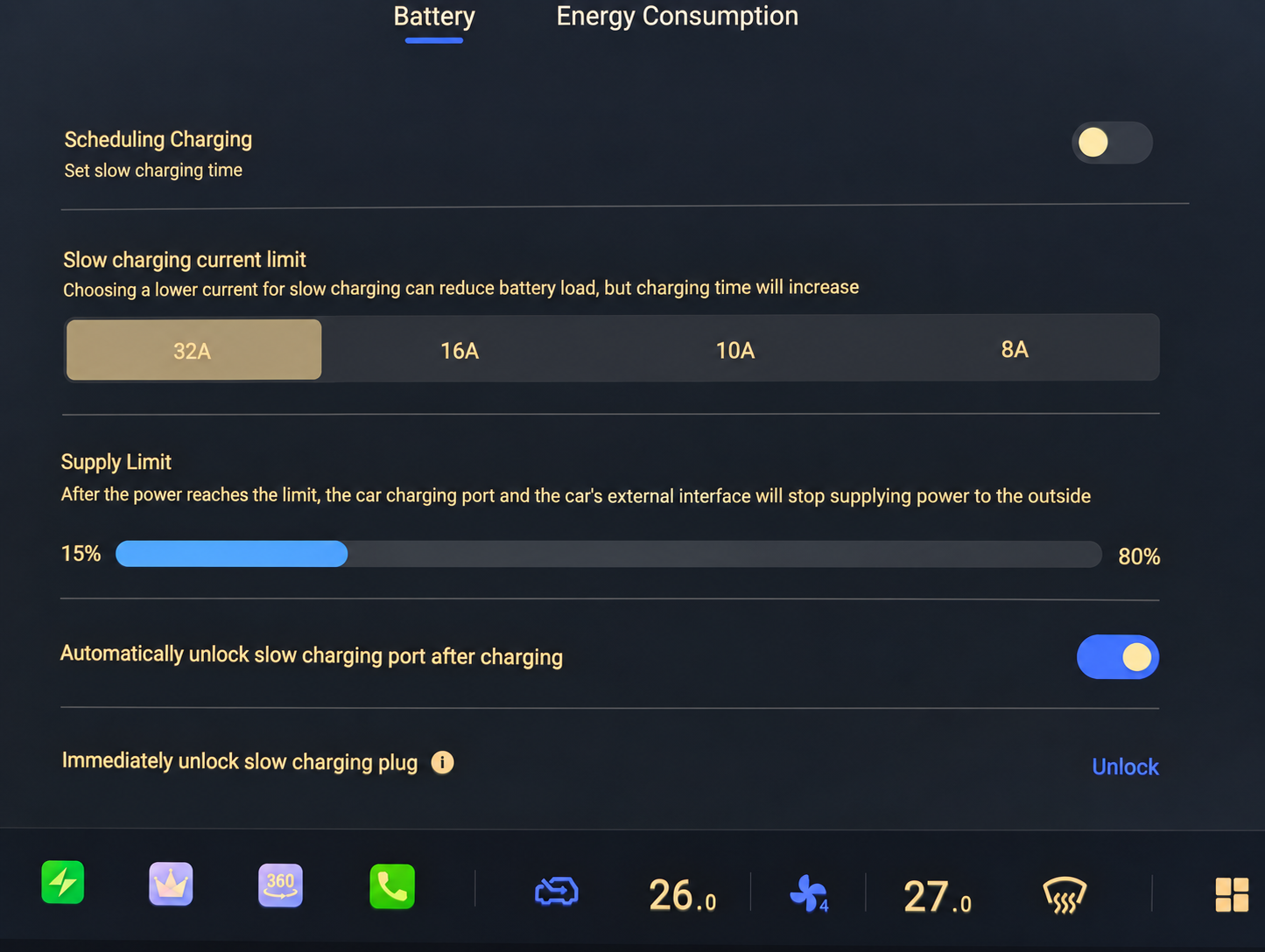
The selected value is a ceiling: the car cannot draw more than the charger offers. Keep the charger’s own limit within the cable and supply ratings. Choosing a lower current can increase charging time.
Match the Setting to Your Setup
Check the Charger and Supply
Read the charger’s output rating and confirm the available socket and supply are suitable. A plug’s rating and the charger’s actual output can differ: the EVSE Mini with a 10 A plug, for example, charges at 8 A.
Choose an Available Current Limit
Use a setting suited to your equipment and supply. The car adjusts the available levels to the connected charger; a higher value cannot make a lower-rated charger deliver more power. Follow the charger’s instructions for any setting on the portable unit itself.
Check the Actual Charging Rate
Once charging starts, check the power shown and allow enough time for the energy you need. These settings are current limits, not a promise of a particular charging speed.
Scroll Table to See All Columns
| Car Limit | Charging Setup | Approx. Power |
|---|---|---|
| 8 A | Portable / Overnight BackupFor a compatible portable charger operating at 8 A on a suitable supply. | 1.8–1.9 kW |
| 10 A | 10 A Portable ChargingOnly when the portable charger and supply support 10 A. An 8 A charger will still be limited to 8 A. | 2.3–2.4 kW |
| 16 A | 16 A Single-Phase ChargingFor a compatible portable charger or AC charge point with a complete setup rated to supply 16 A. | 3.7–3.8 kW |
| 32 A | Dedicated AC ChargingA suitable 32 A wallbox, Type 2 post or rated portable setup can reach the E07’s published AC maximum. | Up to 7 kW |
The 8–16 A figures are approximate single-phase input power at 230–240 V, before charging losses. Charging can be slower depending on the equipment and vehicle conditions.
Why Is an Option Greyed out?
The manual says you cannot choose a value above the connected charger’s maximum. A greyed-out higher setting can therefore be expected with a lower-power portable charger.
If 32 A Is Unavailable with a Suitable 7 kW AC Charger: the manual specifically says to check that the boot socket cover is fully closed. This is a check for that particular symptom, not a fix for every failed charging session.
E07 Owner’s Manual — p. 87 (PDF p. 98)