Community Charging Tip
Get Ready, Then Connect Promptly
One E07 owner has found this sequence helps avoid a session that never starts.
- Prepare PaymentSelect the correct charger and connector, and have payment ready.
- Start And ConnectIf the charger allows activation first, start it and plug in promptly when prompted. Follow connect-first instructions where shown.
- Confirm ChargingCheck the charger and car both show that energy is flowing.
The owner suspects a timeout can interrupt setup. This is an owner-tested tip; the communication handshake begins after connection.
Pick Your Charger
Open the example that matches the unit in front of you. The left side shows a site photo or an image published by the manufacturer or network; the right side covers expectations, starting a session and troubleshooting. One network can use several hardware types.
This catalogue covers 25 public-charging examples and Australian-market families. It is not a verified inventory of every installed model or private home charger.
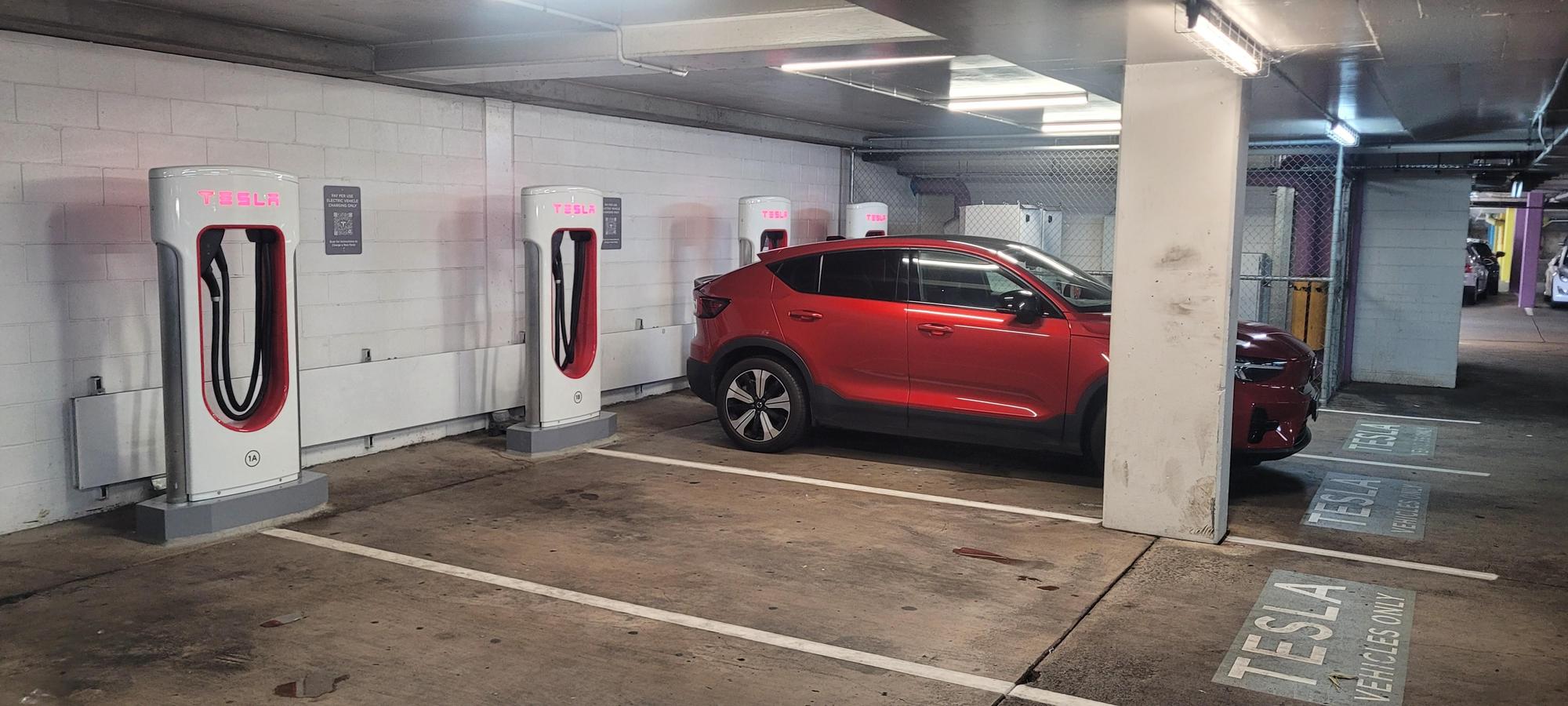 Tesla V2 Supercharger · E07 Compatibility Unconfirmed
- Charging Type
- DC · CCS2 On Retrofitted Units
- Charger Rating
- Check The Site Rating
What To Expect
We have not confirmed successful DEEPAL E07 charging on V2 hardware. Some Australian Tesla sites are open to other CCS2 vehicles, but site access does not establish E07 compatibility. Keep a proven alternative and do not rely on V2 for a planned E07 stop.
How To Start And Stop
Choose another charging network for the E07.
If It Will Not Charge
Use an alternative compatible CCS2 site; check that you are looking at a Supercharger rather than an AC Destination Charger.
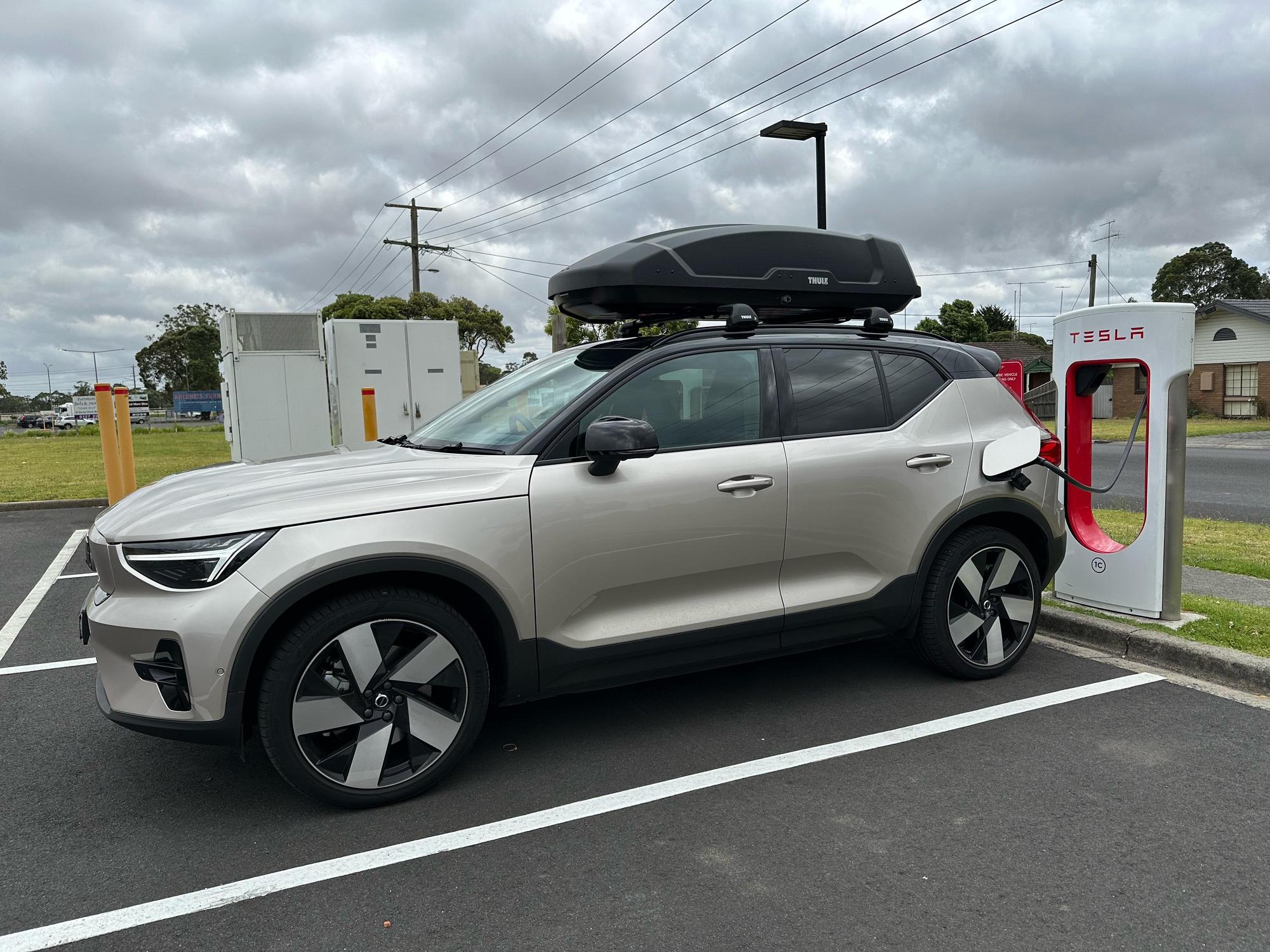 Tesla V3 Supercharger · Unsupported With E07
- Charging Type
- DC · CCS2
- Charger Rating
- Up To 250 kW
What To Expect
Tesla V3 Superchargers are unsupported with the DEEPAL E07. A site appearing in the Tesla app for other EVs does not establish E07 support.
How To Start And Stop
Choose another compatible CCS2 charger.
If It Will Not Charge
A failed V3 session is not solved by repeating the payment or plug-in sequence. Use a proven alternative network.
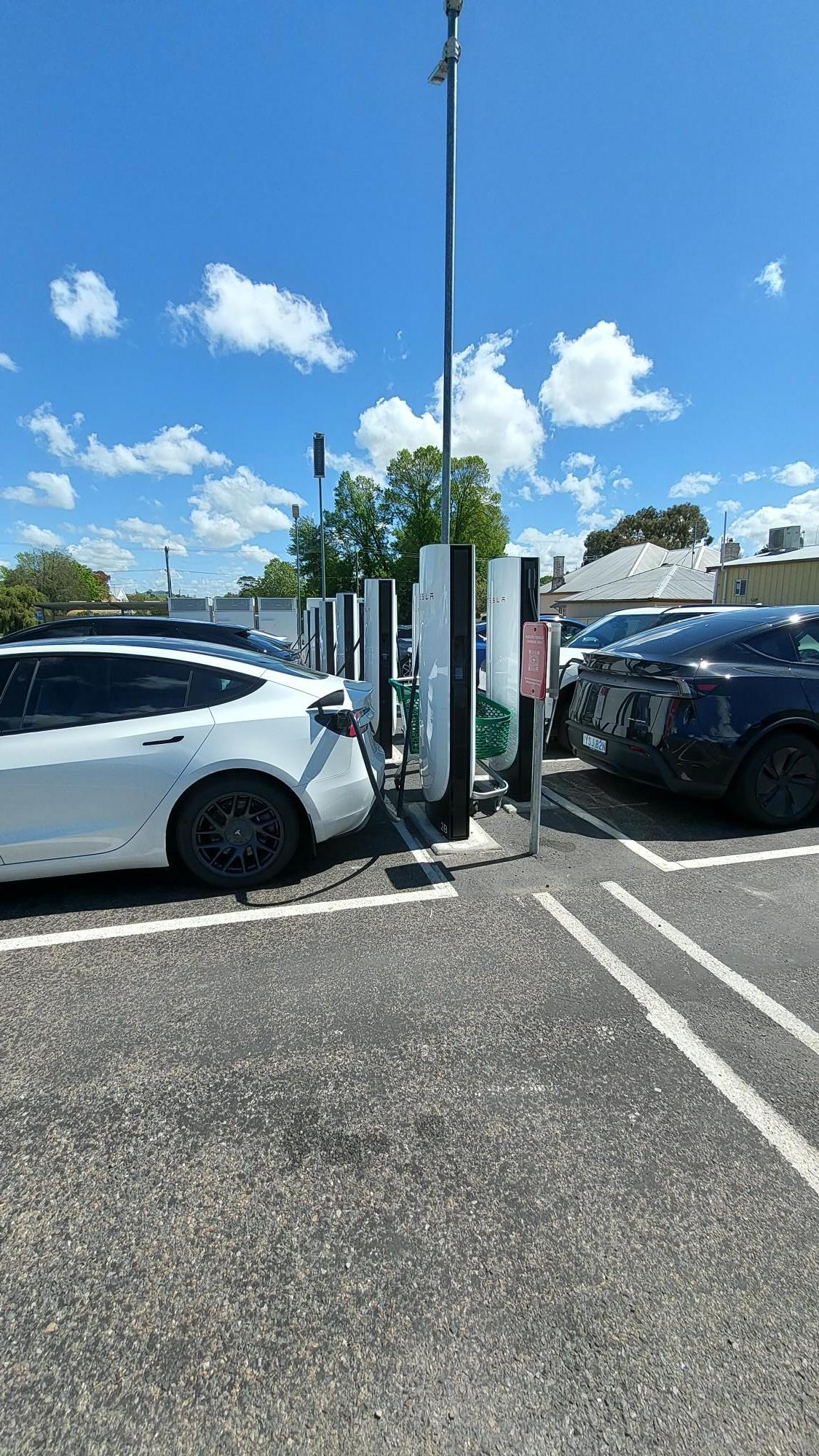 Tesla V4 Supercharger
- Charging Type
- DC · CCS2
- Charger Rating
- Depends On The Installed Cabinet
What To Expect
A V4 post can be supplied by a V3 cabinet limited to 500 V or a V4 cabinet supporting up to 1000 V. Post appearance does not confirm the cabinet or E07 compatibility.
How To Start And Stop
Only attempt a session after current E07 support is confirmed for that site. Select the matching stall in the Tesla app and follow its connect/start prompts.
If It Will Not Charge
Check the site’s cabinet and E07-specific reports. If support is unconfirmed or a session fails, use a proven alternative.
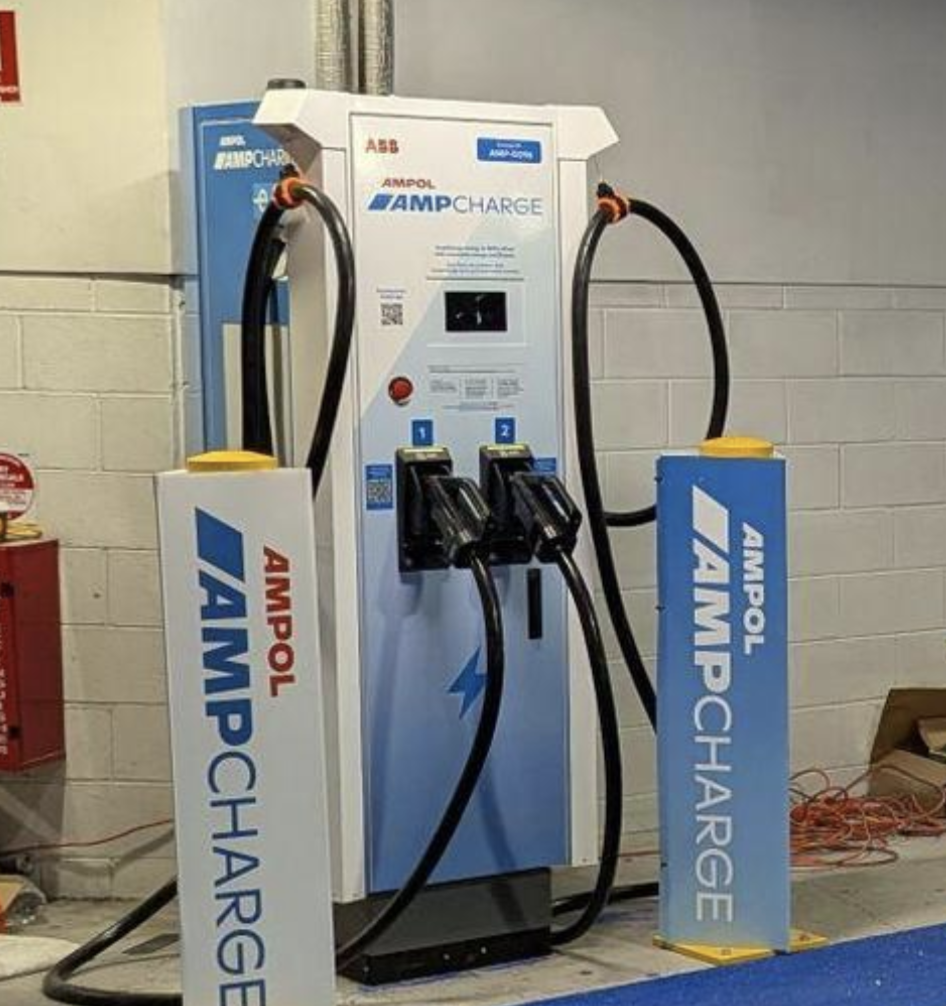 AmpCharge · ABB Small-Screen Cabinet
- Charging Type
- DC · Use CCS2
- Charger Rating
- Read The Unit’s Output Label
What To Expect
This is the type in the supplied AmpCharge photo. The exact ABB variant is not confirmed from its front. The label is the charger’s ceiling, not a promised E07 speed. Battery temperature, state of charge, current limits and power sharing can reduce it. Check recent E07 reports for the exact site.
How To Start And Stop
Open the Ampol app, match the unit and CCS2 connector number, choose payment and follow its start/connect prompts. Confirm that the car and charger show energy flowing. End the session in the app before unplugging.
If It Will Not Charge
The front holsters are numbered: match the CCS2 lead you actually connected, rather than the other side. If charging will not start, confirm the selected connector number, payment approval and a fully seated CCS2 plug. End a failed session and follow the operator’s retry instructions. If the fault repeats, try another working unit or call the support number on the charger.
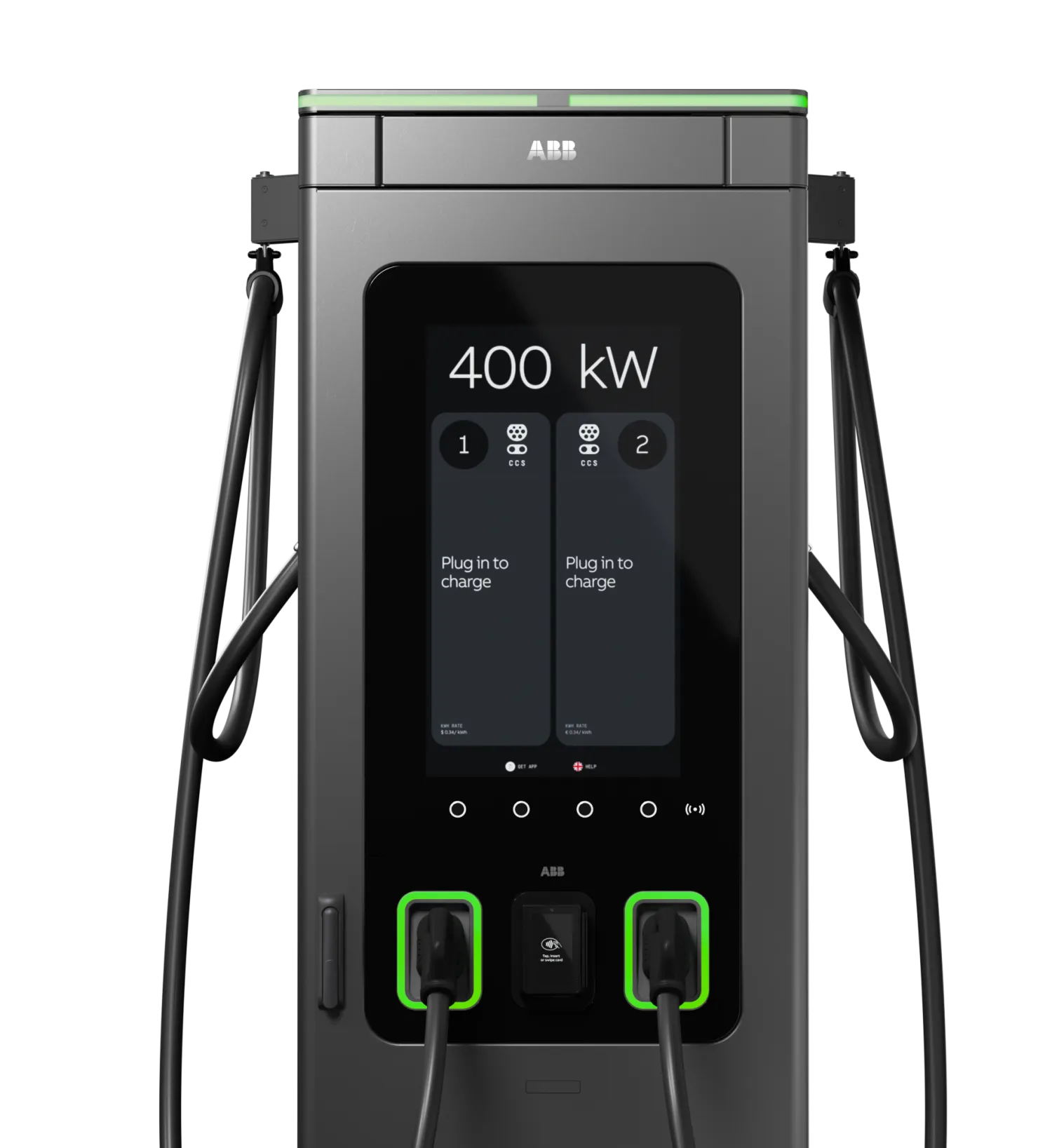 AmpCharge · ABB A400
- Charging Type
- DC · CCS2
- Charger Rating
- Up To 400 kW Configuration
What To Expect
ABB confirms A400 units in AmpCharge’s Australian network. The manufacturer image shows the underlying cabinet without AmpCharge wrapping. The E07’s published DC maximum is 240 kW; shared power can reduce the session rate.
How To Start And Stop
Open the Ampol app, match the unit and CCS2 connector number, choose payment and follow its start/connect prompts. Confirm that the car and charger show energy flowing. End the session in the app before unplugging.
If It Will Not Charge
If charging will not start, confirm the selected connector number, payment approval and a fully seated CCS2 plug. End a failed session and follow the operator’s retry instructions. If the fault repeats, try another working unit or call the support number on the charger.
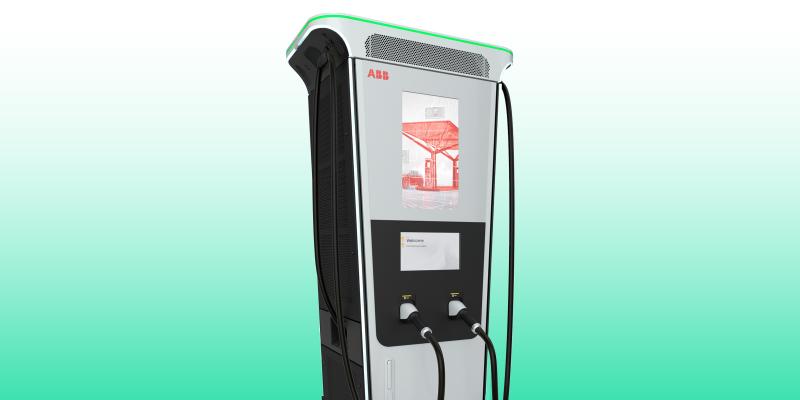 ABB Terra 360
- Charging Type
- DC · Use CCS2
- Charger Rating
- Up To 360 kW
What To Expect
A distinct ABB cabinet used in Australian public charging. Power can be allocated across connected vehicles. Confirm the unit label; a 360 kW label does not mean an E07 will receive 360 kW.
How To Start And Stop
Read the operator name and match the unit and connector ID. Follow that operator’s app, card reader or screen prompts to authorise and connect CCS2. Check that power is flowing; stop the session before unplugging.
If It Will Not Charge
If charging will not start, confirm the selected connector number, payment approval and a fully seated CCS2 plug. End a failed session and follow the operator’s retry instructions. If the fault repeats, try another working unit or call the support number on the charger.
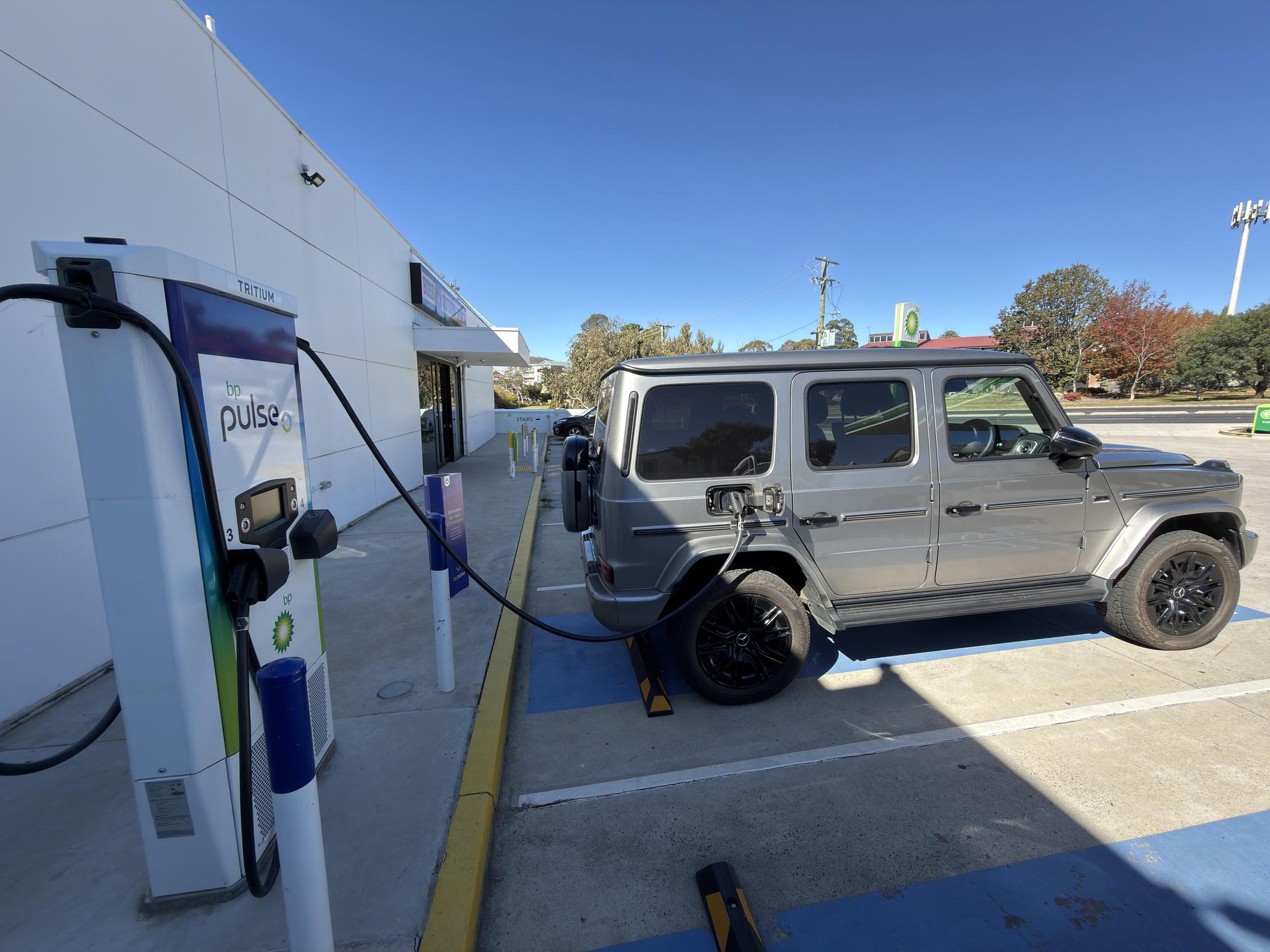 bp pulse · Tritium Cabinet
- Charging Type
- DC · Use CCS2
- Charger Rating
- Varies By Installed Model
What To Expect
The label is the charger’s ceiling, not a promised E07 speed. Battery temperature, state of charge, current limits and power sharing can reduce it. Check recent E07 reports for the exact site.
How To Start And Stop
Match the unit and CCS2 connector in the bp pulse app and follow the activation prompts. Use a payment terminal only where one is fitted and enabled. Confirm energy is flowing, then end the session before unplugging.
If It Will Not Charge
Confirm the lead number and any sharing shown for this unit. If charging will not start, confirm the selected connector number, payment approval and a fully seated CCS2 plug. End a failed session and follow the operator’s retry instructions. If the fault repeats, try another working unit or call the support number on the charger.
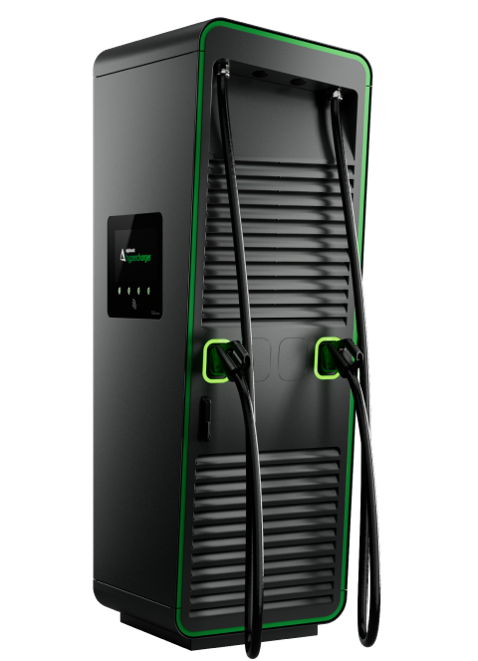 bp pulse · Alpitronic Cabinet Family
- Charging Type
- DC · Use CCS2
- Charger Rating
- Varies By HYC Model
What To Expect
bp pulse uses Alpitronic as well as Tritium hardware. The image is an unbranded HYC400 manufacturer example, not confirmation of the model at a particular bp site. Read the installed HYC label before comparing power figures.
How To Start And Stop
Match the unit and CCS2 connector in the bp pulse app and follow the activation prompts. Use a payment terminal only where one is fitted and enabled. Confirm energy is flowing, then end the session before unplugging.
If It Will Not Charge
If charging will not start, confirm the selected connector number, payment approval and a fully seated CCS2 plug. End a failed session and follow the operator’s retry instructions. If the fault repeats, try another working unit or call the support number on the charger.
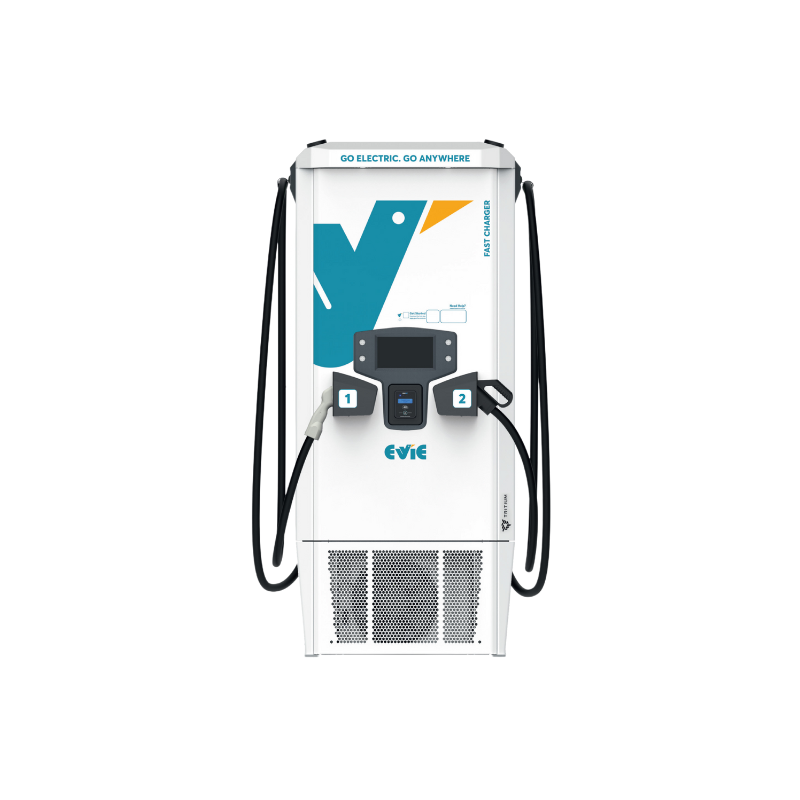 Evie · Tritium RTM
- Charging Type
- DC · Use CCS2
- Charger Rating
- 50–150 kW Family
What To Expect
The label is the charger’s ceiling, not a promised E07 speed. Battery temperature, state of charge, current limits and power sharing can reduce it. Check recent E07 reports for the exact site.
How To Start And Stop
Connect CCS2 and select the matching station and plug in the Evie app, following the unit’s prompts. Start charging and check that power is flowing. Use the displayed stop control or app to end the session before unplugging.
If It Will Not Charge
If charging will not start, confirm the selected connector number, payment approval and a fully seated CCS2 plug. End a failed session and follow the operator’s retry instructions. If the fault repeats, try another working unit or call the support number on the charger.
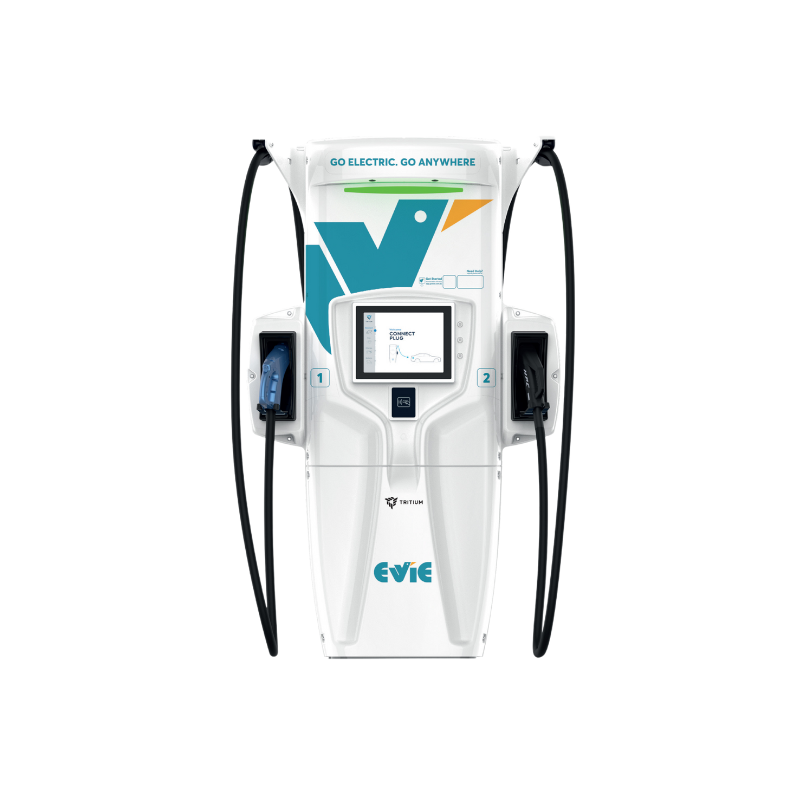 Evie · Tritium PK
- Charging Type
- DC · CCS2
- Charger Rating
- Up To 350 kW Family
What To Expect
Evie identifies this as its Tritium PK family. The label is the charger’s ceiling, not a promised E07 speed. Battery temperature, state of charge, current limits and power sharing can reduce it. Check recent E07 reports for the exact site.
How To Start And Stop
Connect CCS2 and select the matching station and plug in the Evie app, following the unit’s prompts. Start charging and check that power is flowing. Use the displayed stop control or app to end the session before unplugging.
If It Will Not Charge
If charging will not start, confirm the selected connector number, payment approval and a fully seated CCS2 plug. End a failed session and follow the operator’s retry instructions. If the fault repeats, try another working unit or call the support number on the charger.
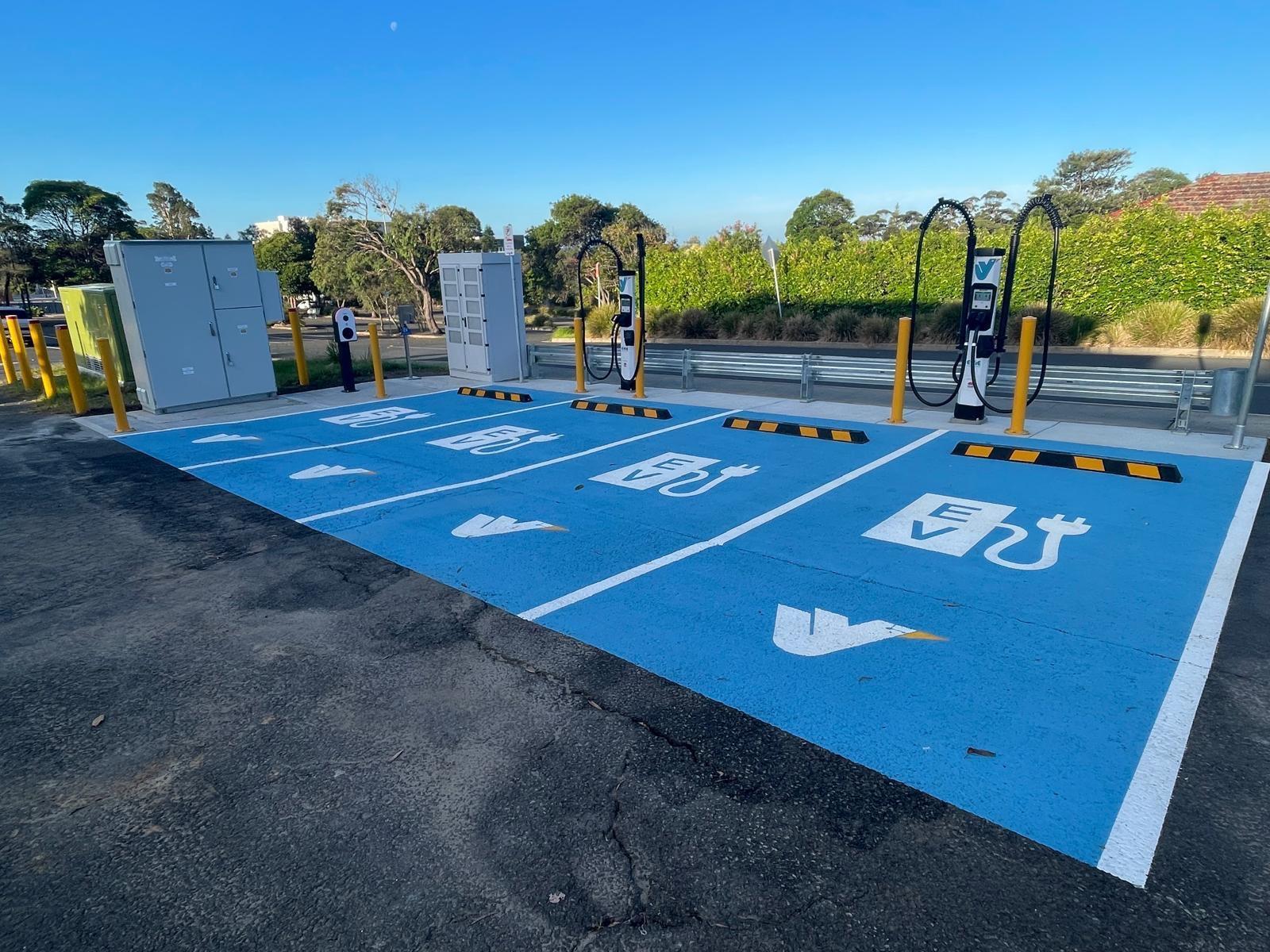 Evie · Kempower S-Series Satellite
- Charging Type
- DC · CCS2
- Charger Rating
- 150–400 kW Site Configurations
What To Expect
The slim dispenser is supplied by separate power equipment. The available site capacity can be shared across connected vehicles; the satellite’s appearance alone cannot tell you your charging speed.
How To Start And Stop
Connect CCS2 and select the matching station and plug in the Evie app, following the unit’s prompts. Start charging and check that power is flowing. Use the displayed stop control or app to end the session before unplugging.
If It Will Not Charge
If charging will not start, confirm the selected connector number, payment approval and a fully seated CCS2 plug. End a failed session and follow the operator’s retry instructions. If the fault repeats, try another working unit or call the support number on the charger.
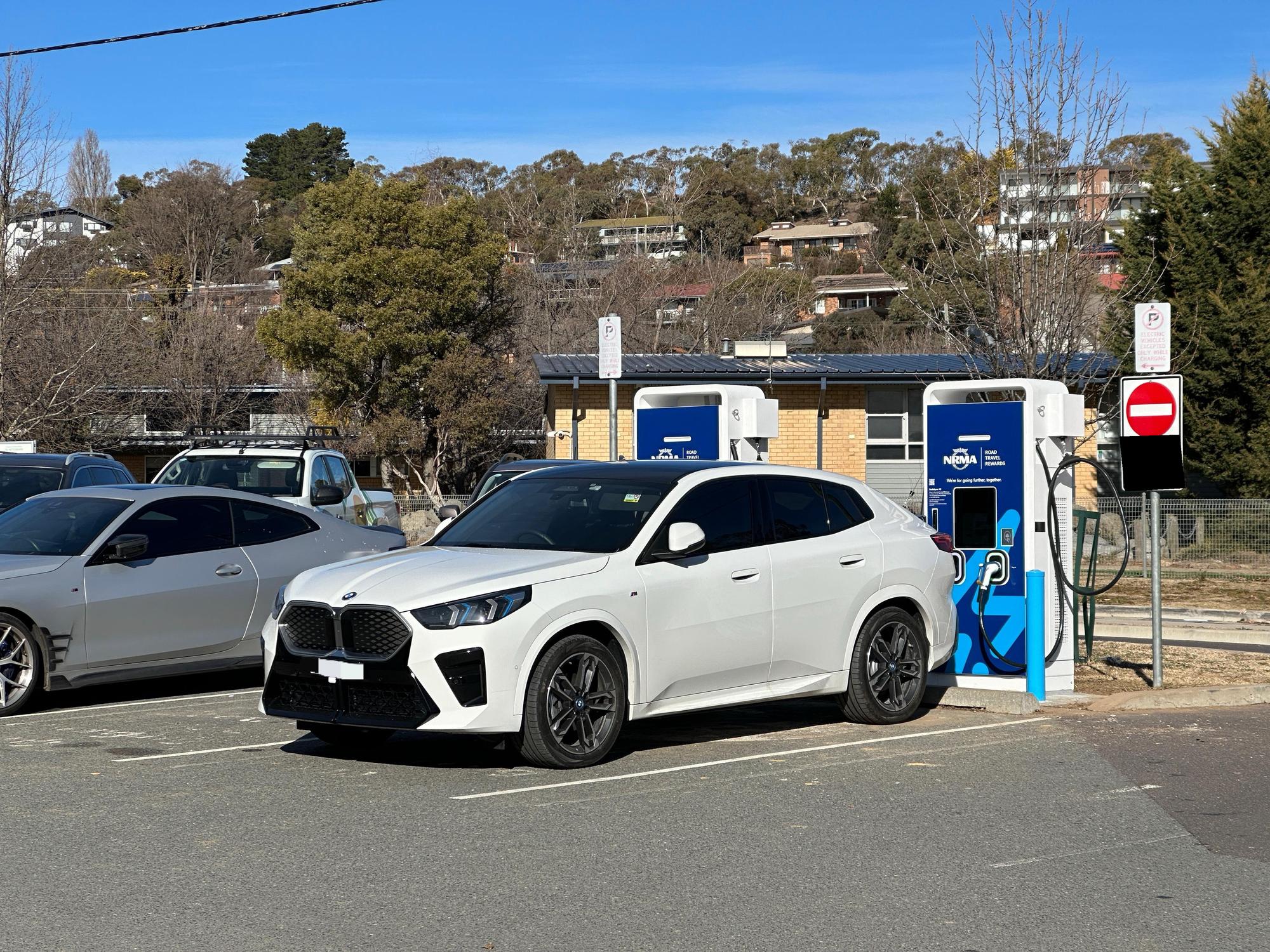 Older NRMA Dual-Connector Cabinet
- Charging Type
- DC · Select CCS2
- Charger Rating
- 50 kW Site Example
What To Expect
A compatible 50 kW unit may get close to 50 kW under suitable conditions. Older cabinets have different voltage limits; this site photo does not establish the exact model or E07 success.
How To Start And Stop
Read the operator name and match the unit and connector ID. Follow that operator’s app, card reader or screen prompts to authorise and connect CCS2. Check that power is flowing; stop the session before unplugging.
If It Will Not Charge
Use CCS2 rather than CHAdeMO. If the unit repeatedly cannot establish an E07 session, check the model and output-voltage label and move to a proven alternative.
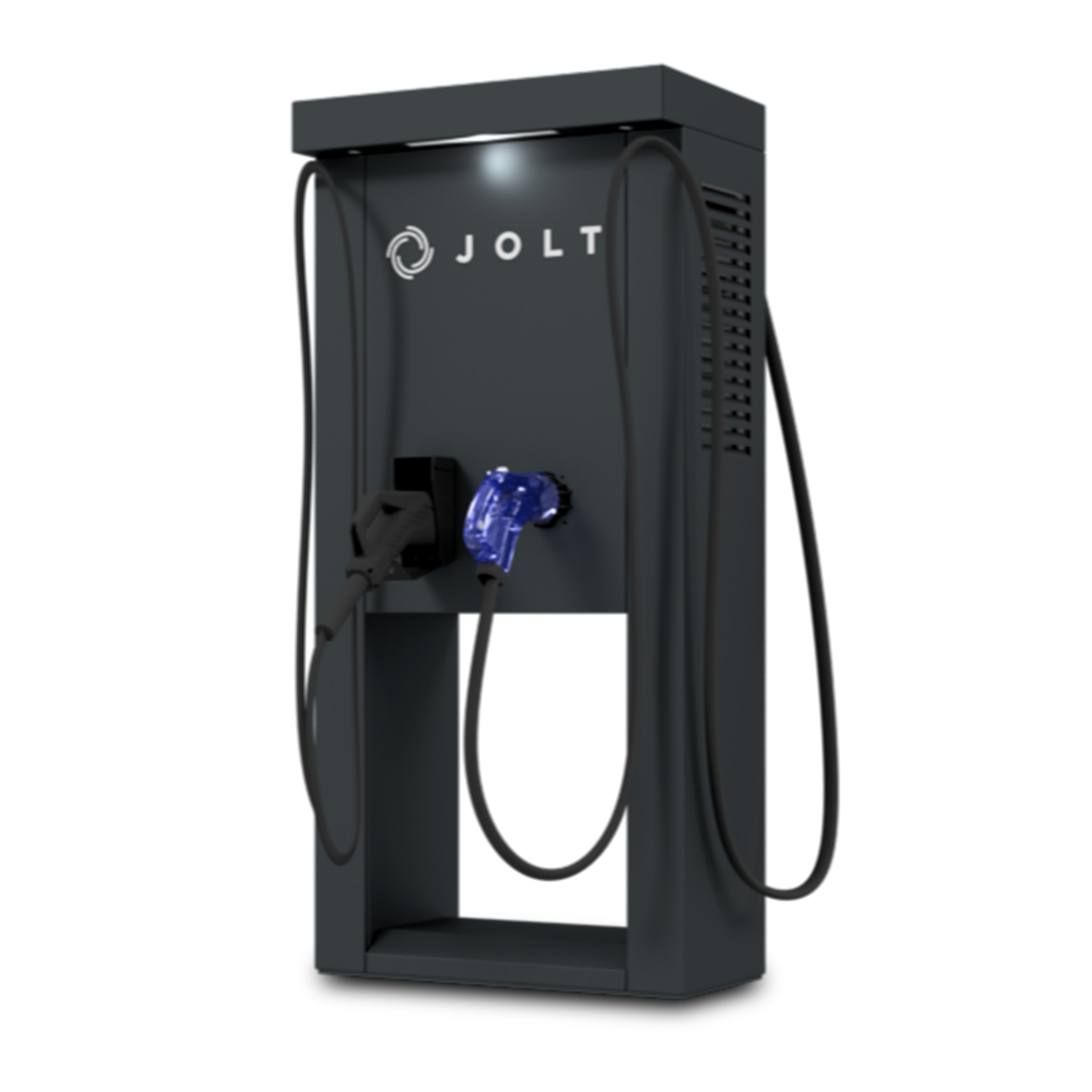 JOLT · Split-System Kiosk
- Charging Type
- DC · Select CCS2
- Charger Rating
- Check The JOLT App
What To Expect
A different enclosure from JOLT’s Tritium and Alpha units. Check the app for this site’s speed, prices and current charging allowance.
How To Start And Stop
Use the JOLT app to select the exact connector code. Follow the app’s start/connect order and confirm charging. Stop the session in the app before removing the plug.
If It Will Not Charge
Match the connector code, not only the site. If a session will not start, check payment/account status, end the failed attempt and follow the app’s reconnect instructions.
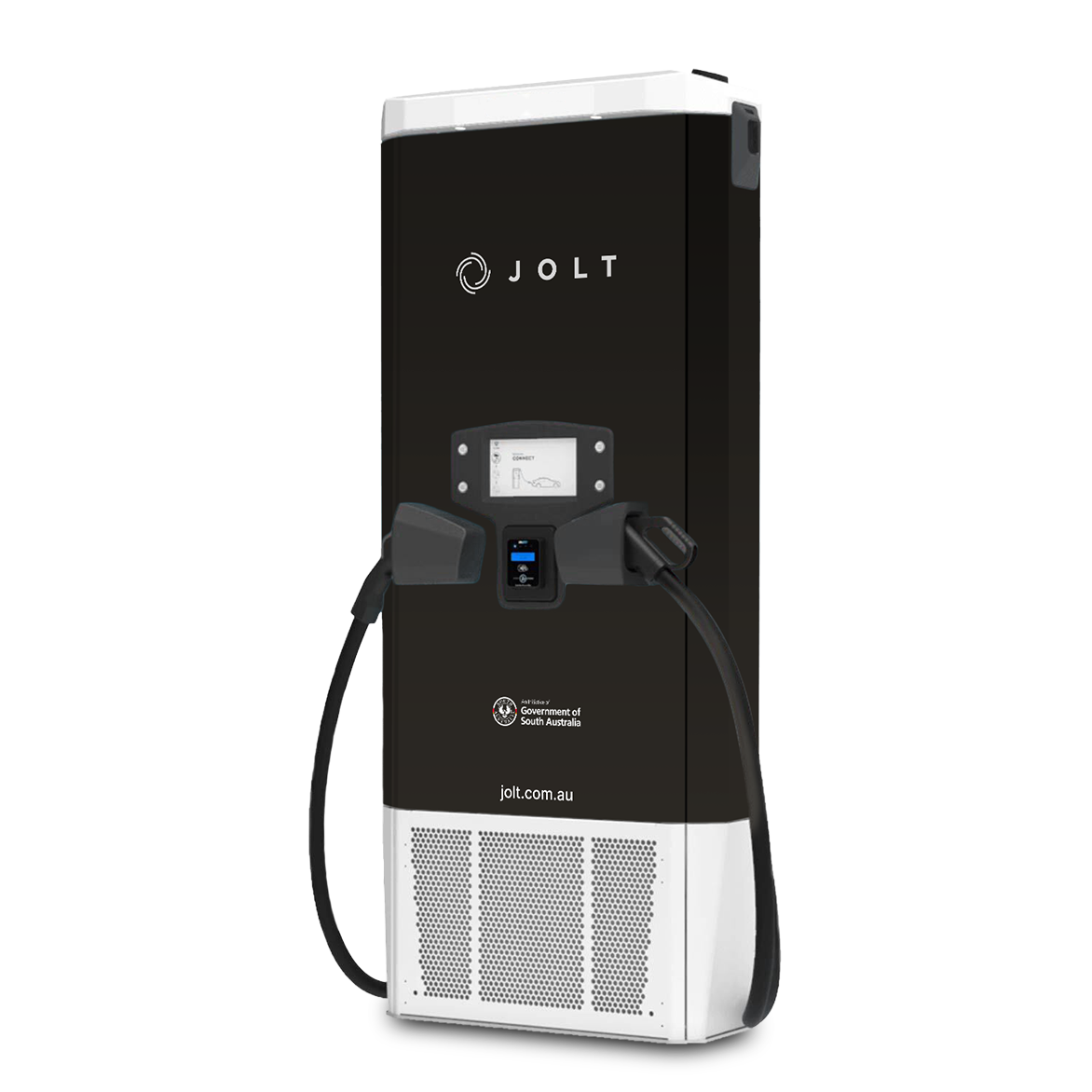 JOLT · Tritium Cabinet
- Charging Type
- DC · Select CCS2
- Charger Rating
- 50 kW Hardware Example
What To Expect
This JOLT cabinet differs from its kiosk designs. Check the current site listing rather than assuming every JOLT charger has the same rating.
How To Start And Stop
Select the unit and CCS2 connector in the JOLT app, then follow its start/connect prompts. Confirm charging and stop the session in the app before unplugging.
If It Will Not Charge
If charging will not start, confirm the selected connector number, payment approval and a fully seated CCS2 plug. End a failed session and follow the operator’s retry instructions. If the fault repeats, try another working unit or call the support number on the charger.
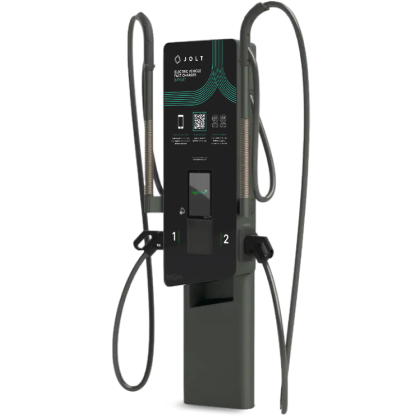 JOLT · Alpha 50
- Charging Type
- DC · Select CCS2
- Charger Rating
- Check The Installed Rating
What To Expect
The compact two-port design is a separate JOLT hardware example. Two leads do not establish simultaneous charging; check the app’s live availability.
How To Start And Stop
Scan or enter the connector code in the JOLT app and follow its activation prompts. Check that power is flowing before leaving the vehicle. Stop in the app before disconnecting.
If It Will Not Charge
If charging will not start, confirm the selected connector number, payment approval and a fully seated CCS2 plug. End a failed session and follow the operator’s retry instructions. If the fault repeats, try another working unit or call the support number on the charger.
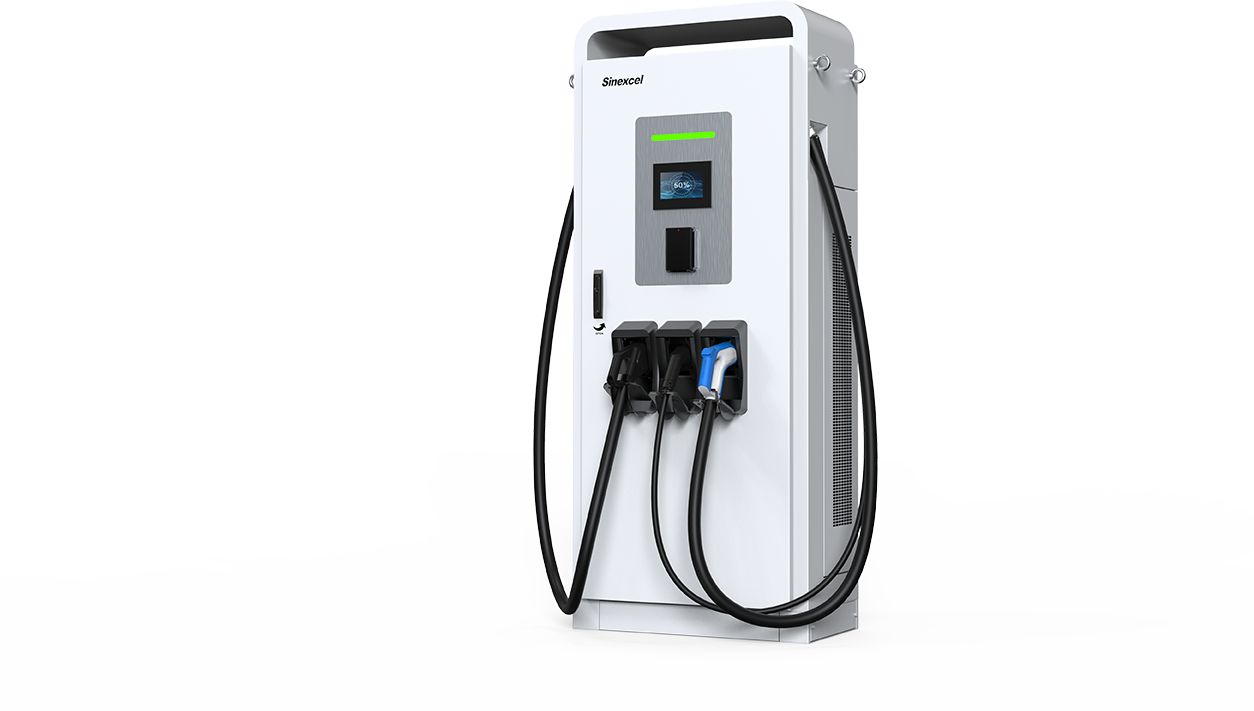 Sinexcel SEC 40–80 kW Cabinet
- Charging Type
- DC · Select CCS2
- Charger Rating
- 40–80 kW Family
What To Expect
The manufacturer lists CCS2 output up to 1000 V for this family. The pictured configuration also has other connectors; select CCS2 for the E07. The installed version and shared power determine the usable rating.
How To Start And Stop
Read the operator name and match the unit and connector ID. Follow that operator’s app, card reader or screen prompts to authorise and connect CCS2. Check that power is flowing; stop the session before unplugging.
If It Will Not Charge
If charging will not start, confirm the selected connector number, payment approval and a fully seated CCS2 plug. End a failed session and follow the operator’s retry instructions. If the fault repeats, try another working unit or call the support number on the charger.
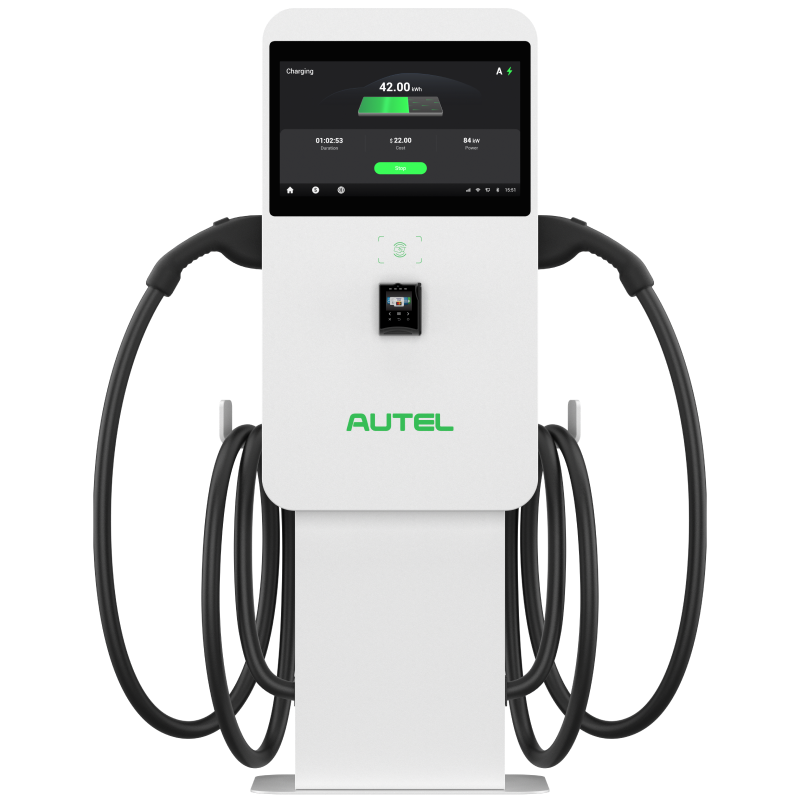 Autel MaxiCharger DC Compact
- Charging Type
- DC · Select CCS2
- Charger Rating
- Check The Installed Variant
What To Expect
Australian approved-equipment records include a 47 kW DC Compact variant; other market versions differ. Match the model plate and installed connectors rather than assuming the photograph establishes the output.
How To Start And Stop
Read the operator name and match the unit and connector ID. Follow that operator’s app, card reader or screen prompts to authorise and connect CCS2. Check that power is flowing; stop the session before unplugging.
If It Will Not Charge
If charging will not start, confirm the selected connector number, payment approval and a fully seated CCS2 plug. End a failed session and follow the operator’s retry instructions. If the fault repeats, try another working unit or call the support number on the charger.
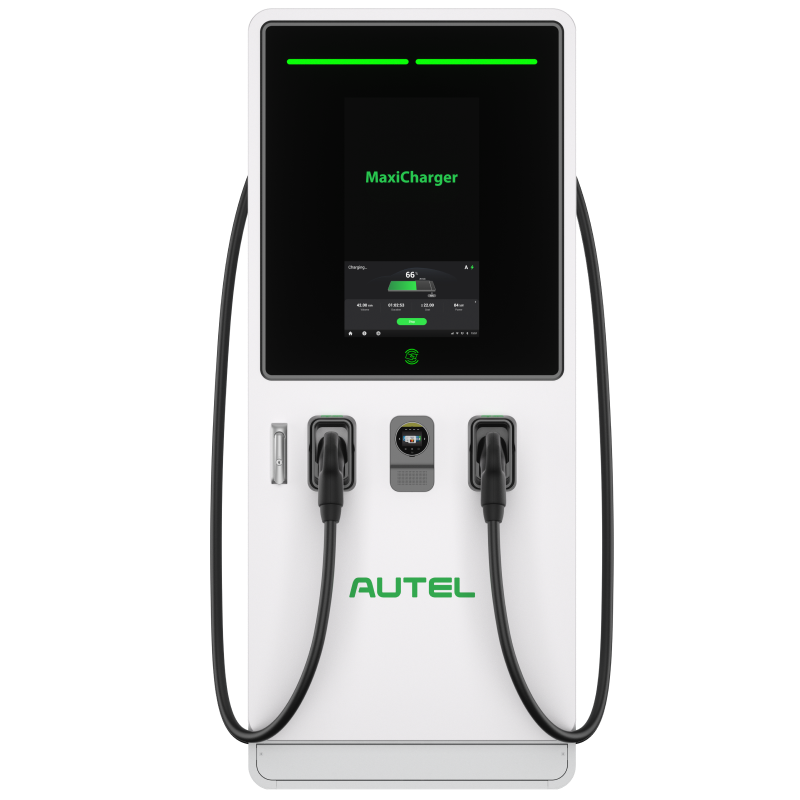 Autel MaxiCharger DC Fast
- Charging Type
- DC · Select CCS2
- Charger Rating
- Multiple Power Configurations
What To Expect
The label is the charger’s ceiling, not a promised E07 speed. Battery temperature, state of charge, current limits and power sharing can reduce it. Check recent E07 reports for the exact site.
How To Start And Stop
Read the operator name and match the unit and connector ID. Follow that operator’s app, card reader or screen prompts to authorise and connect CCS2. Check that power is flowing; stop the session before unplugging.
If It Will Not Charge
If charging will not start, confirm the selected connector number, payment approval and a fully seated CCS2 plug. End a failed session and follow the operator’s retry instructions. If the fault repeats, try another working unit or call the support number on the charger.
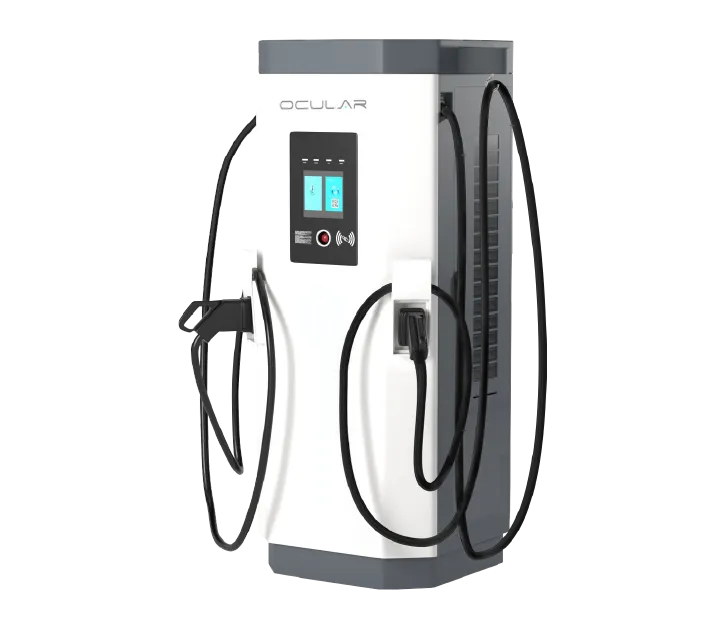 Ocular Atlas
- Charging Type
- DC · Select CCS2
- Charger Rating
- 60–180 kW Family
What To Expect
An Australian-market product family. Branding, power modules and cable options vary with the installation. The label is the charger’s ceiling, not a promised E07 speed. Battery temperature, state of charge, current limits and power sharing can reduce it. Check recent E07 reports for the exact site.
How To Start And Stop
Read the operator name and match the unit and connector ID. Follow that operator’s app, card reader or screen prompts to authorise and connect CCS2. Check that power is flowing; stop the session before unplugging.
If It Will Not Charge
If charging will not start, confirm the selected connector number, payment approval and a fully seated CCS2 plug. End a failed session and follow the operator’s retry instructions. If the fault repeats, try another working unit or call the support number on the charger.
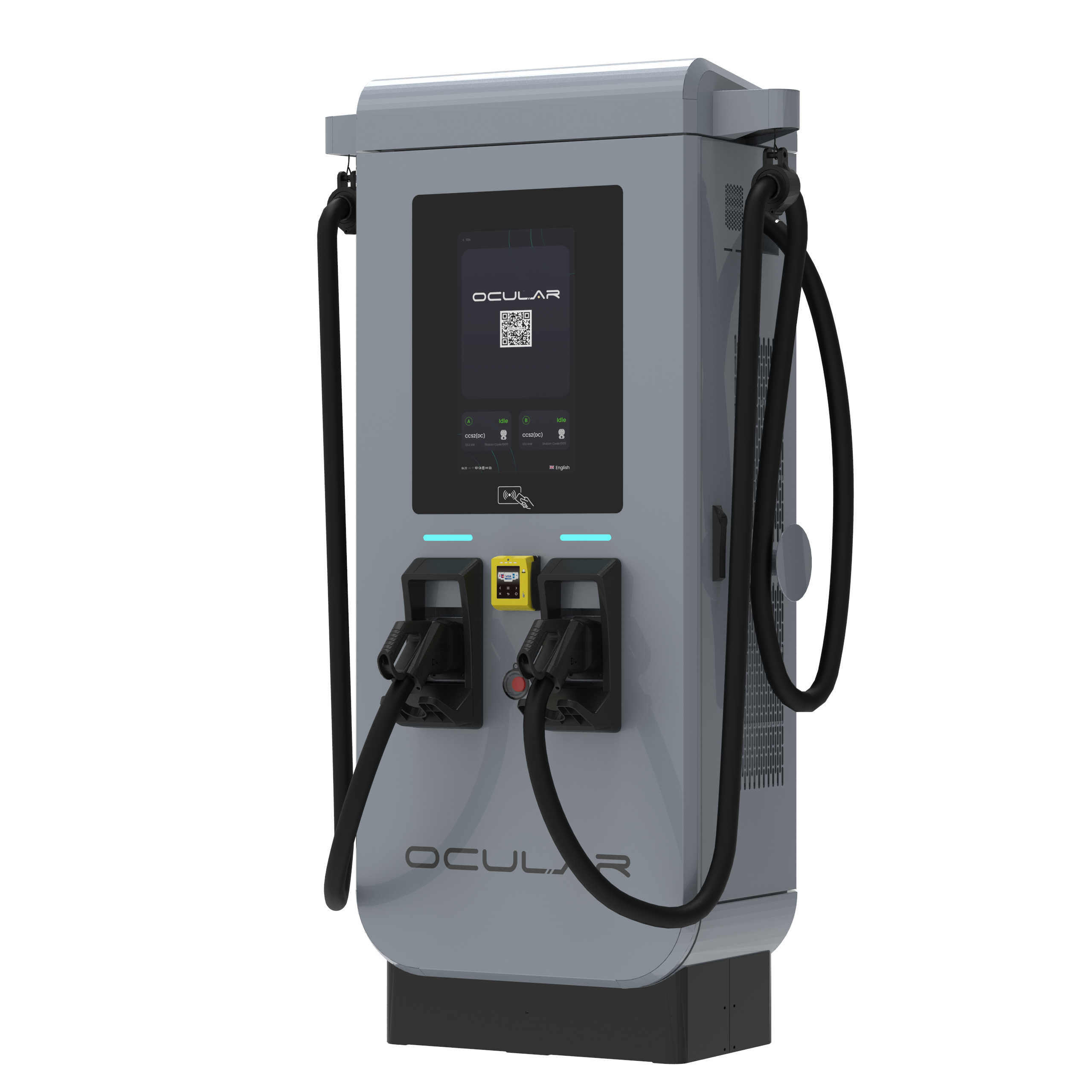 Ocular Atlas Pro
- Charging Type
- DC · Select CCS2
- Charger Rating
- Check The Installed Variant
What To Expect
An Australian-market product family. Branding, power modules and cable options vary with the installation. The label is the charger’s ceiling, not a promised E07 speed. Battery temperature, state of charge, current limits and power sharing can reduce it. Check recent E07 reports for the exact site.
How To Start And Stop
Read the operator name and match the unit and connector ID. Follow that operator’s app, card reader or screen prompts to authorise and connect CCS2. Check that power is flowing; stop the session before unplugging.
If It Will Not Charge
If charging will not start, confirm the selected connector number, payment approval and a fully seated CCS2 plug. End a failed session and follow the operator’s retry instructions. If the fault repeats, try another working unit or call the support number on the charger.
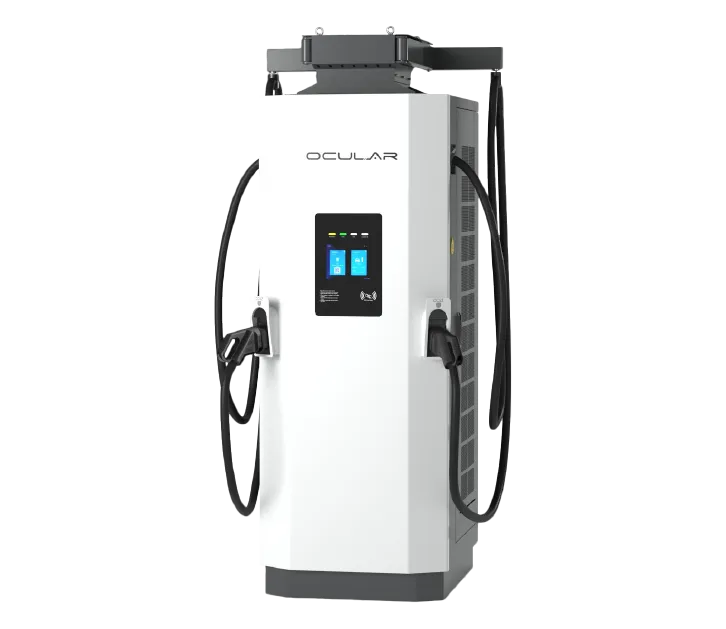 Ocular Orion
- Charging Type
- DC · Select CCS2
- Charger Rating
- 240–420 kW Family
What To Expect
An Australian-market product family. Branding, power modules and cable options vary with the installation. The label is the charger’s ceiling, not a promised E07 speed. Battery temperature, state of charge, current limits and power sharing can reduce it. Check recent E07 reports for the exact site.
How To Start And Stop
Read the operator name and match the unit and connector ID. Follow that operator’s app, card reader or screen prompts to authorise and connect CCS2. Check that power is flowing; stop the session before unplugging.
If It Will Not Charge
If charging will not start, confirm the selected connector number, payment approval and a fully seated CCS2 plug. End a failed session and follow the operator’s retry instructions. If the fault repeats, try another working unit or call the support number on the charger.
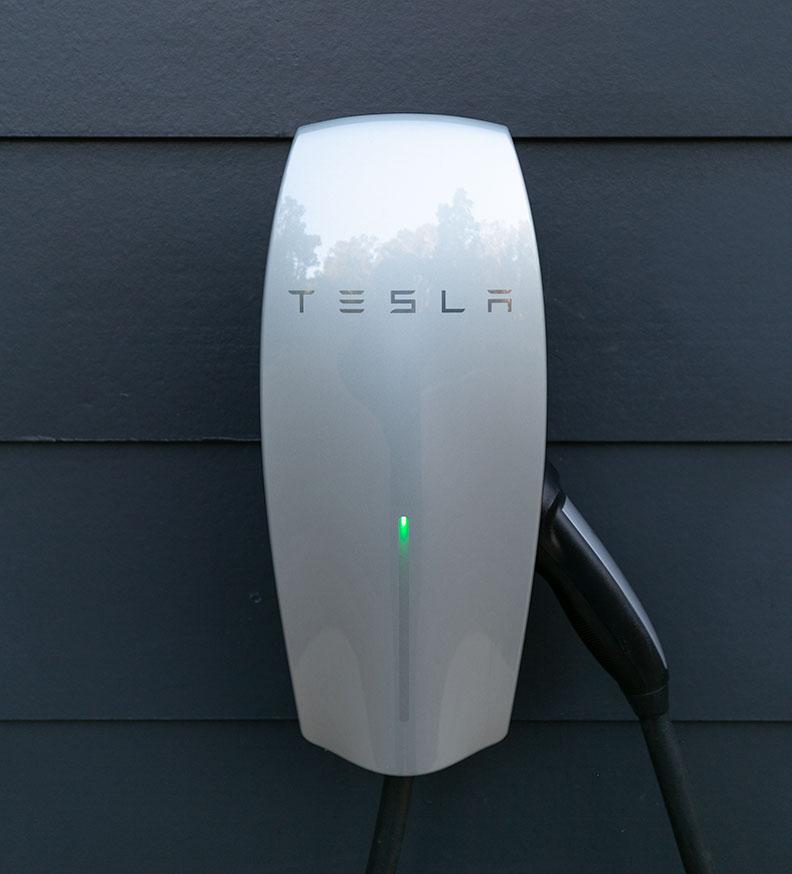 Tesla AC Destination Charger
- Charging Type
- AC · Type 2
- Charger Rating
- Site Rating Varies
What To Expect
A Tesla Destination Charger is separate from the DC Supercharger network. Confirm that the host has enabled charging for other vehicles. The E07’s published AC maximum is 7 kW. A higher AC site rating does not increase that limit. Allow a longer stop or overnight stay.
How To Start And Stop
Check access and payment with the host or operator. Connect Type 2, using your own cable if the unit has a socket. Follow any app or RFID instructions. Stop charging and unlock the connector normally before removing it.
If It Will Not Charge
If connected but not charging, check the session authorisation, the E07’s charging schedule and charge limit, and whether the cable is fully inserted at both ends. Ask the host about access restrictions or a disabled socket.
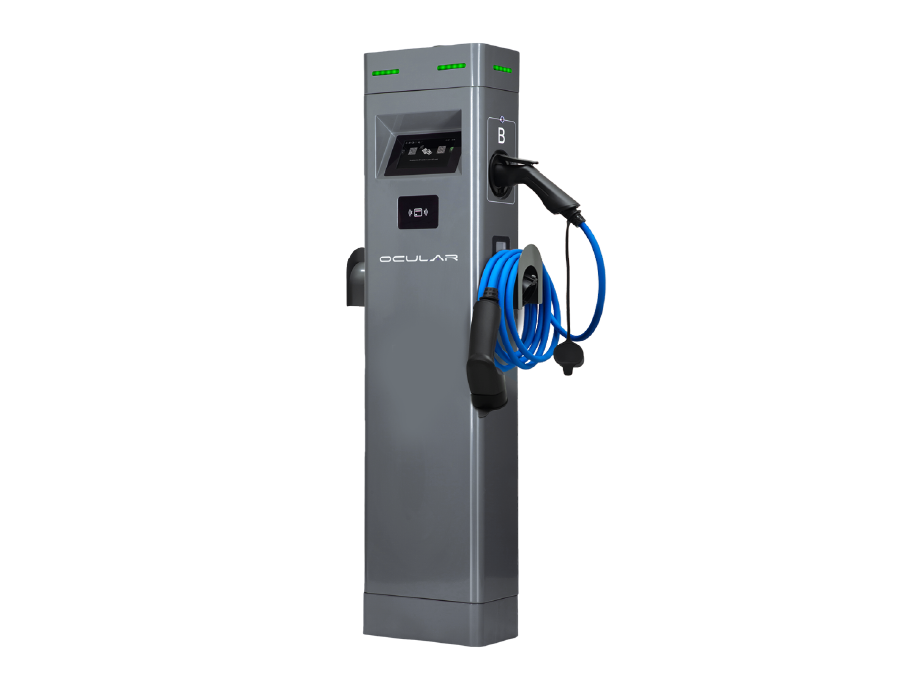 Ocular IQ Dual Tower
- Charging Type
- AC · Type 2
- Charger Rating
- Check The Installed Rating
What To Expect
The E07’s published AC maximum is 7 kW. A higher AC site rating does not increase that limit. Allow a longer stop or overnight stay.
How To Start And Stop
Check access and payment with the host or operator. Connect Type 2, using your own cable if the unit has a socket. Follow any app or RFID instructions. Stop charging and unlock the connector normally before removing it.
If It Will Not Charge
If connected but not charging, check the session authorisation, the E07’s charging schedule and charge limit, and whether the cable is fully inserted at both ends. Ask the host about access restrictions or a disabled socket.
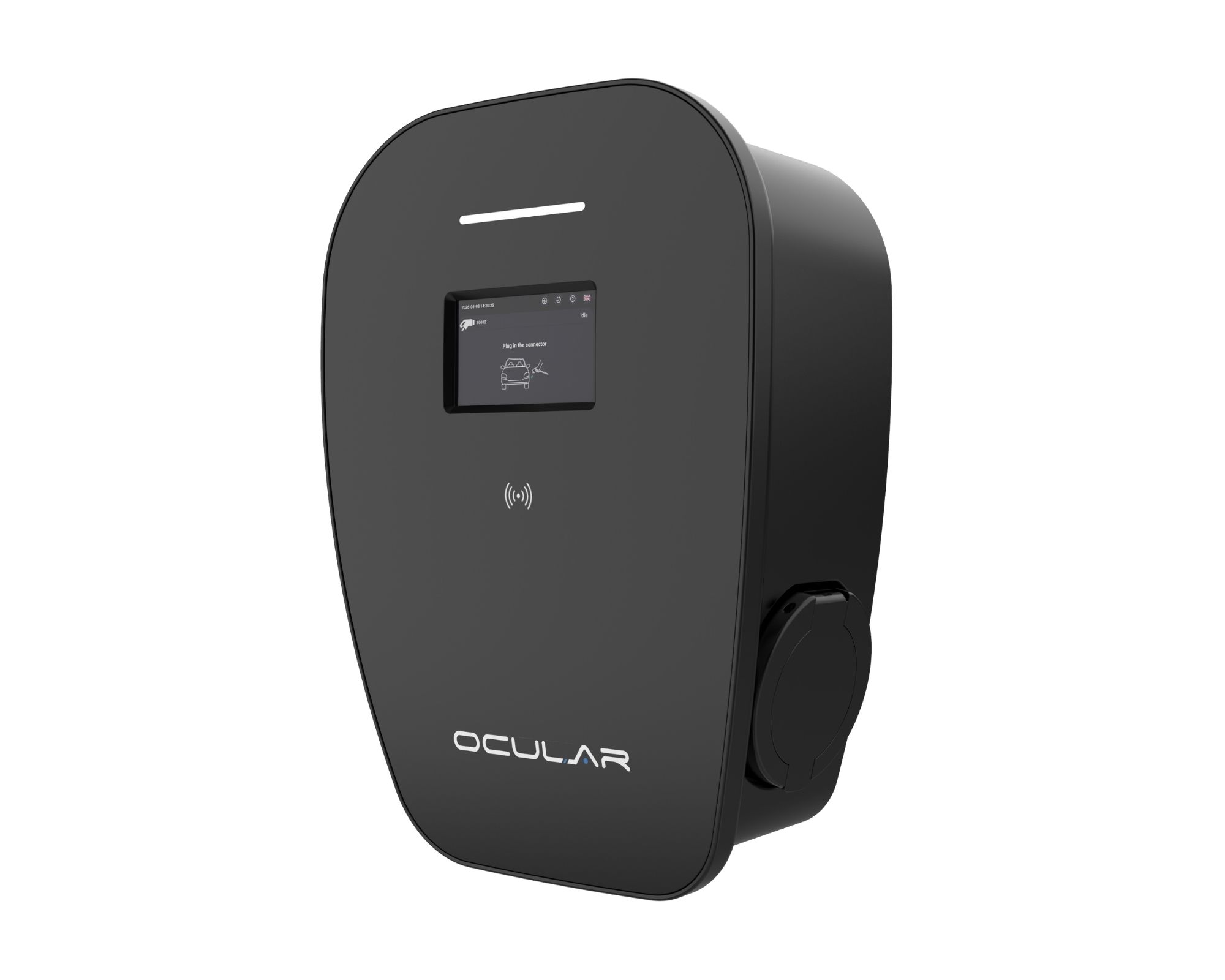 Ocular IQ Wallbox
- Charging Type
- AC · Type 2
- Charger Rating
- Check The Installed Rating
What To Expect
The E07’s published AC maximum is 7 kW. A higher AC site rating does not increase that limit. Allow a longer stop or overnight stay.
How To Start And Stop
Check access and payment with the host or operator. Connect Type 2, using your own cable if the unit has a socket. Follow any app or RFID instructions. Stop charging and unlock the connector normally before removing it.
If It Will Not Charge
If connected but not charging, check the session authorisation, the E07’s charging schedule and charge limit, and whether the cable is fully inserted at both ends. Ask the host about access restrictions or a disabled socket.
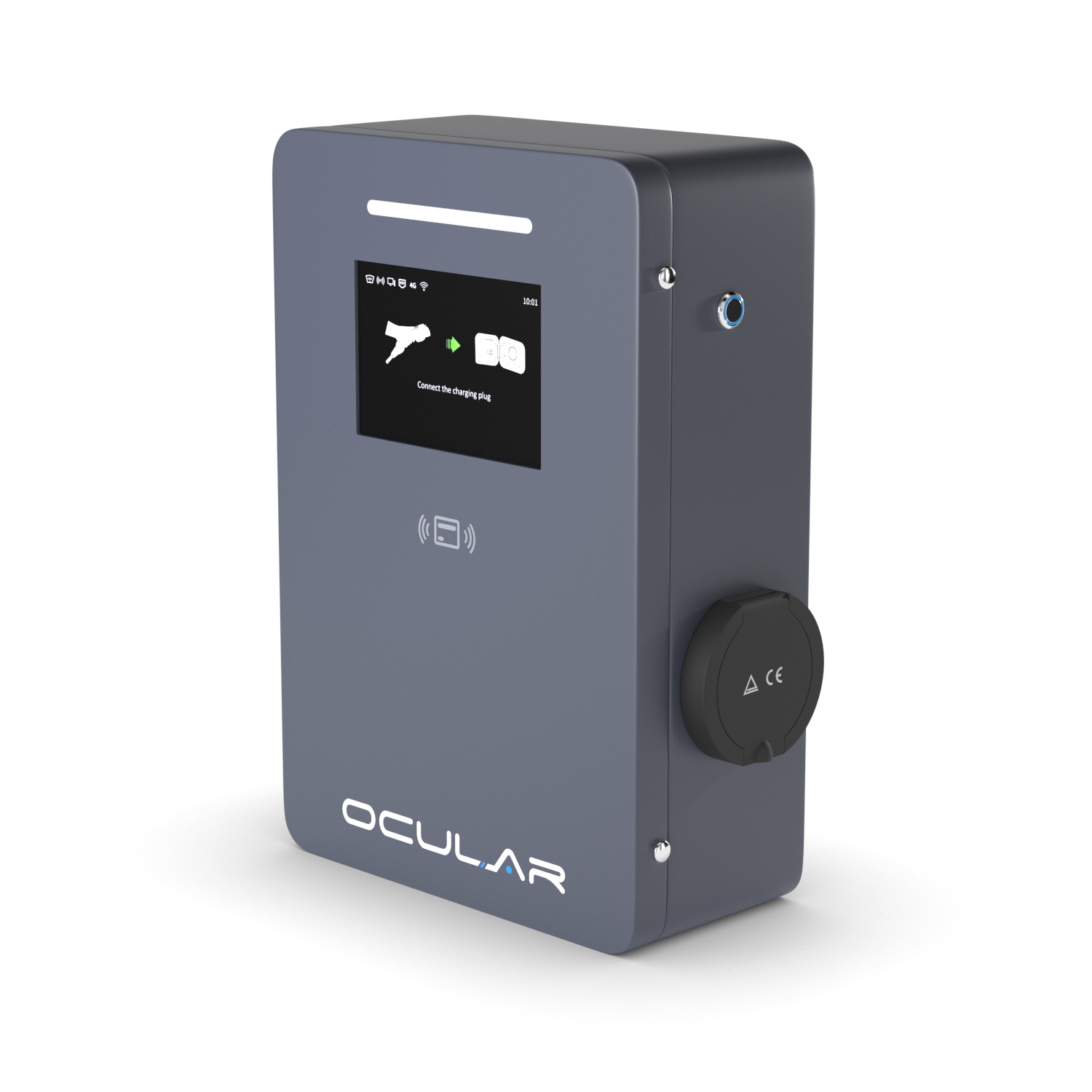 Ocular IQ Commercial
- Charging Type
- AC · Type 2
- Charger Rating
- Check The Installed Rating
What To Expect
The E07’s published AC maximum is 7 kW. A higher AC site rating does not increase that limit. Allow a longer stop or overnight stay.
How To Start And Stop
Check access and payment with the host or operator. Connect Type 2, using your own cable if the unit has a socket. Follow any app or RFID instructions. Stop charging and unlock the connector normally before removing it.
If It Will Not Charge
If connected but not charging, check the session authorisation, the E07’s charging schedule and charge limit, and whether the cable is fully inserted at both ends. Ask the host about access restrictions or a disabled socket.
800 V, 400 V And Actual Speed
The E07 is an 800 V-class vehicle; its battery does not sit at exactly 800 V throughout charging. Public DC chargers have different output-voltage ranges. We do not have evidence that most chargers are limited to 400 V.
Where a vehicle converts lower-voltage DC to charge a higher-voltage pack, that is a voltage step-up. We have not established the Australian E07’s complete conversion design or a confirmed conversion power limit from the primary documents reviewed.
Does 150 kW Become About 125 kW?
An owner observation around 122–125 kW on a 150 kW unit can describe that session, but does not establish a universal E07 limit or prove a voltage-conversion cause. Battery temperature, state of charge, the charger’s current limit, shared power and site restrictions can all affect the reading.
The E07’s published DC maximum is 240 kW. Neither a 150 kW nor a 350 kW label promises a particular result. Record the charger model, starting battery percentage, temperature and observed peak when comparing sessions.
Before You Plug In
- Confirm CCS2 for DC or Type 2 for AC.
- Read the charger model and output label; check voltage as well as kW.
- Check access, payment and current status in the operator’s app.
- Read recent E07-specific check-ins and keep a reachable backup.