A Reversible Tuning Method
Return to a Neutral Starting Point
Disable special effects you do not want to evaluate, centre the balance and fade, and note the current EQ, gain and delay values.
Use Familiar, Well-Recorded Audio
Choose several tracks with clear speech, bass, drums and acoustic instruments. Keep the playback source and volume consistent.
Balance Speaker Levels First
One owner lowered individual speaker gains, raised the subwoofer and balanced speakers according to their size and role. Make small changes and listen from the seat you use most.
Adjust Timing Carefully
The owner adjusted the delay of the speaker opposite the listening position to widen or centre the image. Large timing changes can make the sound unfocused, so work in small steps.
Use EQ Last
After levels and timing feel balanced, use small EQ changes to reduce muddiness or harshness. Cutting an over-strong band is often easier to control than boosting several others.
Save and Compare
If profiles are available, compare the tuned version with the original at a moderate volume. Keep the version that sounds natural across more than one track.
What Owners Reported
An owner reported individual gain and delay controls for the E07’s 18 speakers, together with equaliser controls. That makes it possible to alter tonal balance, bass level and the apparent position of the sound stage.
This owner report does not establish an exact menu path or a control set for every E07 software version. Explore audio settings while parked and take screenshots of the starting values before making changes.
Radio Reception and Alternatives
Owners have reported that the Australian E07 does not provide native DAB+ and that FM reception can be disappointing in some areas. Treat both points as owner observations for the current software and vehicle configuration.
A practical workaround is to stream a station’s official app or a reputable radio aggregator through Android Auto. The source discussion did not identify a specific app, so choose one that carries your stations and review its data use, subscription terms and privacy settings.
- Save stations before driving.
- Start playback while parked.
- Expect interruptions in poor mobile coverage.
- Keep mobile data use in mind on long trips.
- Do not handle the phone while driving.
Choose the Right Phone App
A station’s streaming app and Android Auto provide phone audio through their own playback and connection controls. The DEEPAL phone app provides vehicle status and controls such as Temperature, Battery and Share. The reviewed DEEPAL app screens did not establish radio playback or EQ controls. See Use the DEEPAL App for that separate vehicle-control interface.
Bluetooth music pairing, phone projection and a DEEPAL Bluetooth phone key are separate tasks. The app’s Bluetooth and Location permission purposes describe phone-key use; a granted permission is not proof that music, Android Auto or a key connection works. Use Internet Control and Bluetooth Phone Key for the DEEPAL access requirements, and follow the vehicle’s current audio/phone connection prompts for playback.
Supporting App Permission Reference
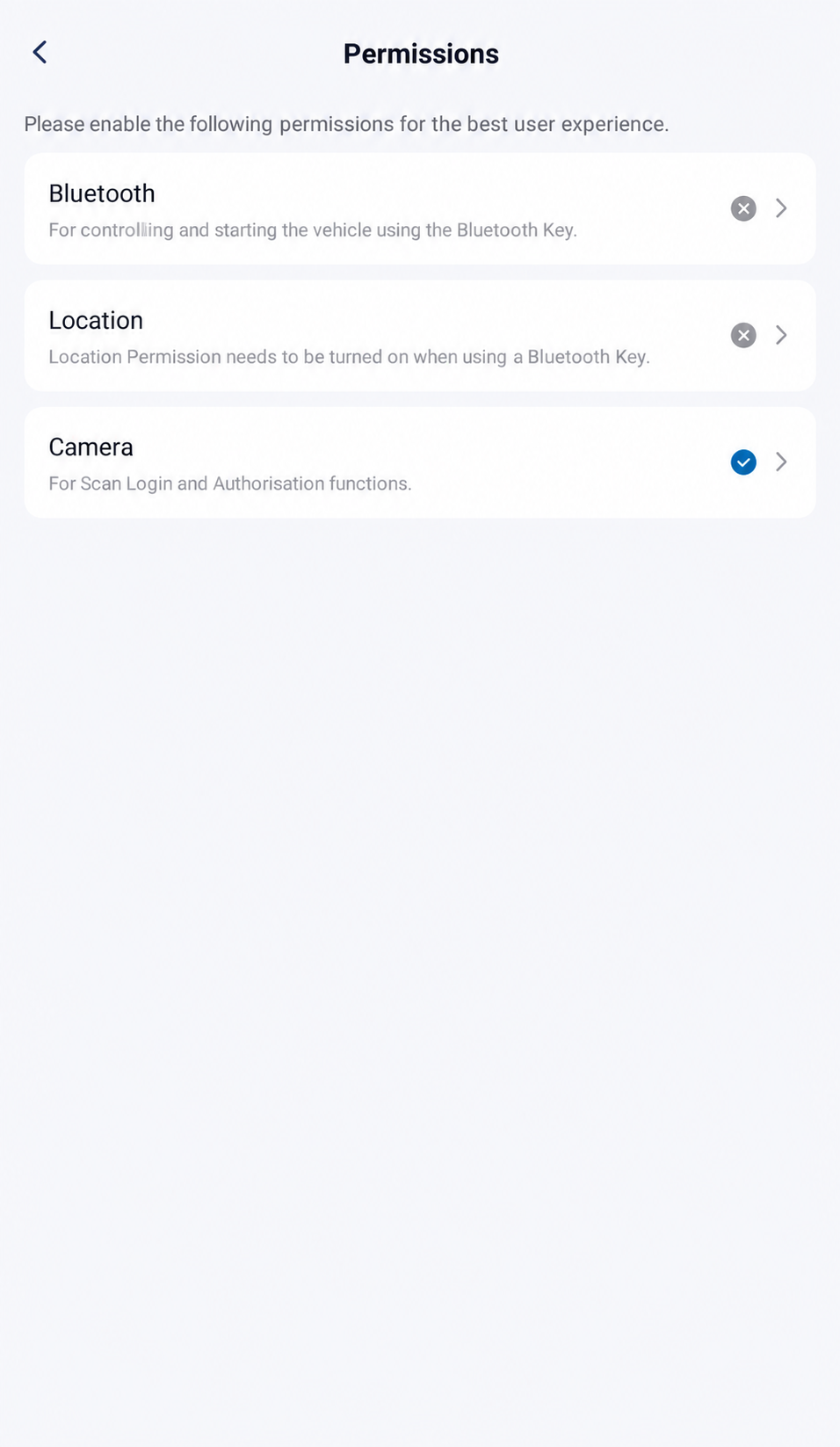
Open Personal Center, choose Settings, then open Permissions to read each permission’s purpose. The app describes Bluetooth and Location for vehicle control/starting using a Bluetooth Key, and Camera for Scan Login and Authorisation. The illustration shows Bluetooth and Location ungranted. These indicators do not establish media pairing or playback.
AI-Edited App Reference · Android V1.12.0 · Australia · Shared E07 Recipient. Screens and available controls may differ by account and app version. Reviewed 10 October 2026.If Audio Behaves like a Fault
Distortion from one speaker, audio that continues after locking, repeated disconnections or controls that do not respond may be an issue rather than a tuning problem. Record the software version, source, volume and steps that reproduce it, then check the issue tracker.
Keep the phone app and vehicle versions separate. Open Personal Center, choose About Us, then read APP Version for the DEEPAL phone app. Read App Version and Vehicle OTA Guidance before interpreting an update prompt; an app-version screen does not confirm a completed vehicle OTA or phone app update.