A Simple Test Method
Park and Wake the Assistant
Use the wake method shown by your current vehicle software.
Say One Short Command
Start with the plain phrase in the table. Avoid combining several actions until the basic command is reliable.
Check the Result
Watch the relevant status, screen or physical control. Record phrases that work with your software version.
Stop If the Meaning Is Unclear
Cancel the request and use the normal controls. Do not experiment with moving screens, windows or vehicle settings while driving.
Outside Voice Control: Limited
An owner reports that asking DEEPAL to open the boot from outside the car does not work reliably from a distance and requires standing beside the vehicle. The usable distance and conditions need further confirmation. This report does not establish a supported operating range or guarantee that a command will work beside every E07.
Keep clear of moving panels and check the actual result. If the request fails, use the normal vehicle control or the app’s Boot control if available to your account. This limitation concerns speaking to the vehicle; it does not describe the range of internet app controls or an authorised Bluetooth phone key.
Vehicle and Display
Scroll Table to See All Columns
| Task | Community-Collected Phrases to Try |
|---|---|
| Rear Cargo Area | “Open rear dome” · “Open rear back door” · “One-click full opening” · “Expanded mode” · “One-click all closing” |
| Exterior Lights | “Turn on low beam” · “Automatic headlamp” · “Turn on position lamp” |
| Cabin Light | “Turn on roof light” · “Turn off roof light” |
| Locks | “Turn on window lock” · “Turn on child lock” |
| Display Theme | “Light display” · “Dark display” |
| Driving Mode | “Sport mode” · “Economy mode” |
| Head-Up Display | “Open HUD” · “HUD higher” · “HUD brighter” · “HUD map” · “HUD snow mode” |
| Connections | “Turn on Wi-Fi” · “Turn on hotspot” · “Turn on Bluetooth” |
| Mirrors | “Fold mirrors” · “Unfold mirrors” · “Turn on mirror heating” |
| Centre Screen | “Screen brighter” · “Automatic brightness” · “Rotate screen to driver” · “Rotate screen to centre” · “Rotate screen to passenger” |
| Rear Screen Positions | “Screen to left rear” · “Screen to centre rear” · “Screen back” |
| Sunshade | “Open sunshade” · “Half open sunshade” · “Open sunshade a little” |
| Rear View | “Turn on rear-view assist” · “Open rear window” · “Open streaming mirror” |
| Audio State | “Turn volume up” · “Turn media sound off” · “Mute navigation” |
| Windows | “Open windows” · “Close windows” · “Ventilate windows” |
| Wipers | “Turn on wipers” · “Wipers faster” · “Automatic wipers” · “Increase wiper sensitivity” |
| Phone Charging | “Turn on wireless charging” · “Turn off wireless charging” |
Climate and Seats
Scroll Table to See All Columns
| Task | Community-Collected Phrases to Try |
|---|---|
| Climate Power | “Turn on air conditioning” · “Turn off air conditioning” · “Automatic air conditioning” |
| Temperature | “Set temperature to 22 degrees” · “Temperature higher” · “Temperature lower” · “Synchronise temperature” |
| Fan | “Fan higher” · “Fan lower” · “Ventilation mode” |
| Air Direction | “Blow to face” · “Blow to feet” · “Blow to face and feet” |
| Air Modes | “Quick cooling” · “Energy-saving air conditioning” · “Outer loop” · “Air purification” |
| Seat Position | “Driver seat higher” · “Driver seat forward” · “Driver backrest forward” |
| Seat Heating | “Turn on driver seat heating” · “Driver seat heating higher” |
| Seat Ventilation | “Turn on driver seat ventilation” · “Driver seat ventilation higher” |
| Relaxation | “Zero-gravity seat” · “Nap mode” |
Replace “driver” with the relevant seat only if the vehicle offers that seat control and clearly identifies it.
Media and Navigation
Scroll Table to See All Columns
| Task | Community-Collected Phrases to Try |
|---|---|
| Music Source | “Play music” · “Play online music” · “Play Bluetooth music” · “Play USB music” |
| Music Control | “Play previous song” · “Change song” · “Favourite this song” · “Show lyrics” |
| Search Music | “Play [song]” · “Play songs by [artist]” · “Search for [album]” |
| Destination | “Navigate to [place]” · “Navigate home” · “Navigate to work” |
| Route | “Add [place] as a waypoint” · “How long to destination?” · “Show road conditions” |
| Map | “Zoom map in” · “Zoom map out” · “Open map settings” |
Use the Phone App for a Separate Task
The phrases in this guide are for the vehicle’s voice assistant. To inspect status or request a remote operation from your phone, use DEEPAL App Controls. The illustrated home Temperature card opens AC, with a separate Seats tab; that navigation does not verify any voice phrase in the tables below. The app illustrations do not verify successful vehicle commands or climate changes.
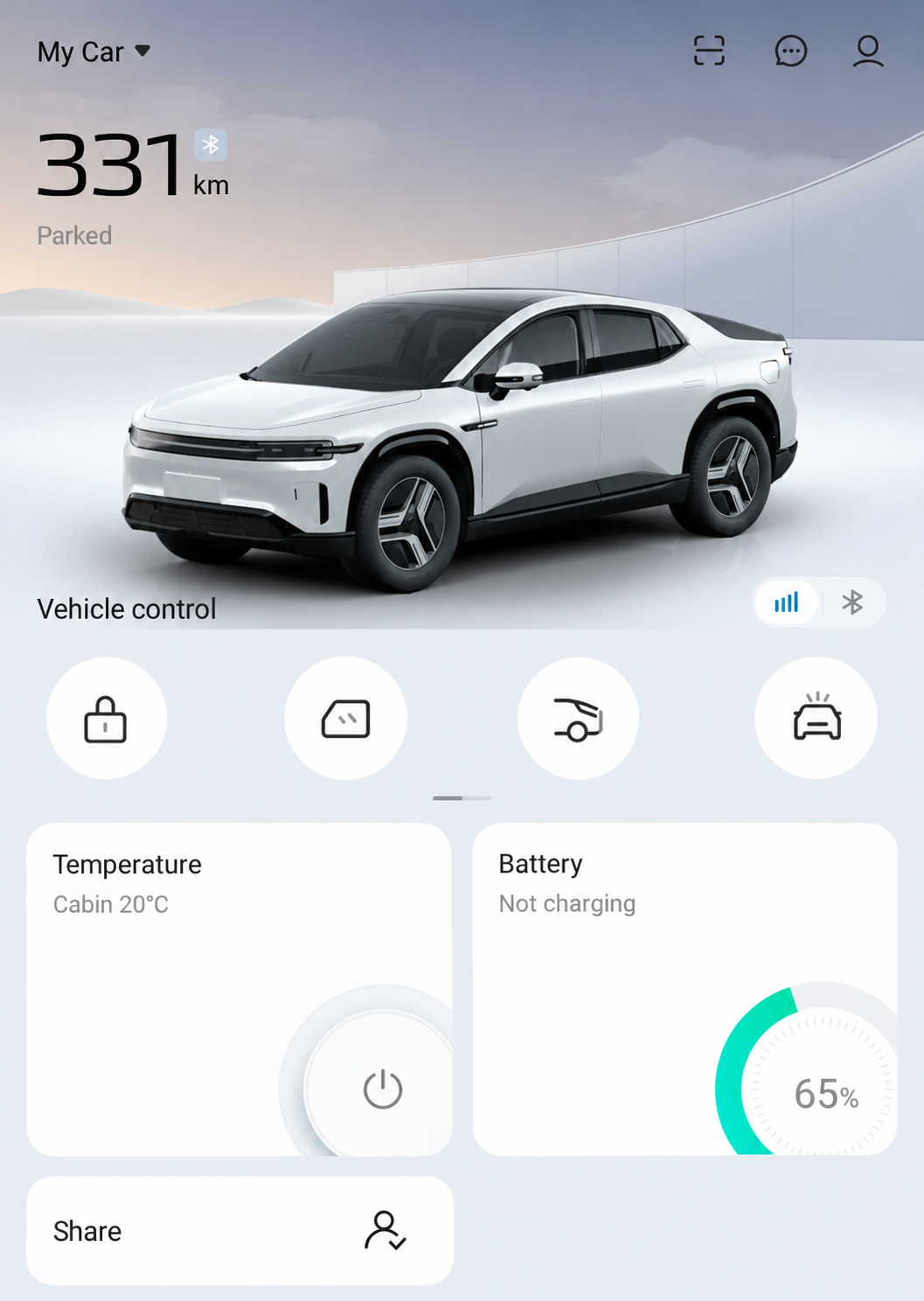
Vehicle Control and the Temperature, Battery and Share cards belong to the DEEPAL phone app. This reference does not show the voice assistant or establish that a spoken phrase works.
AI-Edited App Reference · Android V1.12.0 · Australia · Shared E07 Recipient. Screens and available controls may differ by account and app version. Reviewed 10 October 2026.DEEPAL describes Hi DEEPAL as online voice control on its Connected Services Page, checked 10 October 2026. If it stops responding, check the car’s actual connectivity and service conditions before assuming the phrase is unsupported. Nearby Bluetooth phone-key access has its own authorisation and permission requirements; see Internet Control and Bluetooth Phone Key. A granted phone permission alone does not establish a working voice service or key connection.
Commands That May Not Apply in Australia
The source document also listed Youku, MiguPlay and Leishi KTV. These are China-market media services and should not be assumed to exist in Australian E07 software. Their presence in the original list does not confirm Australian availability.
Some translations in the source were unusual, including “rear dome” and “streaming mirror”. If the phrase fails, look for the feature’s current English name on your screen and try that wording.