In the Car
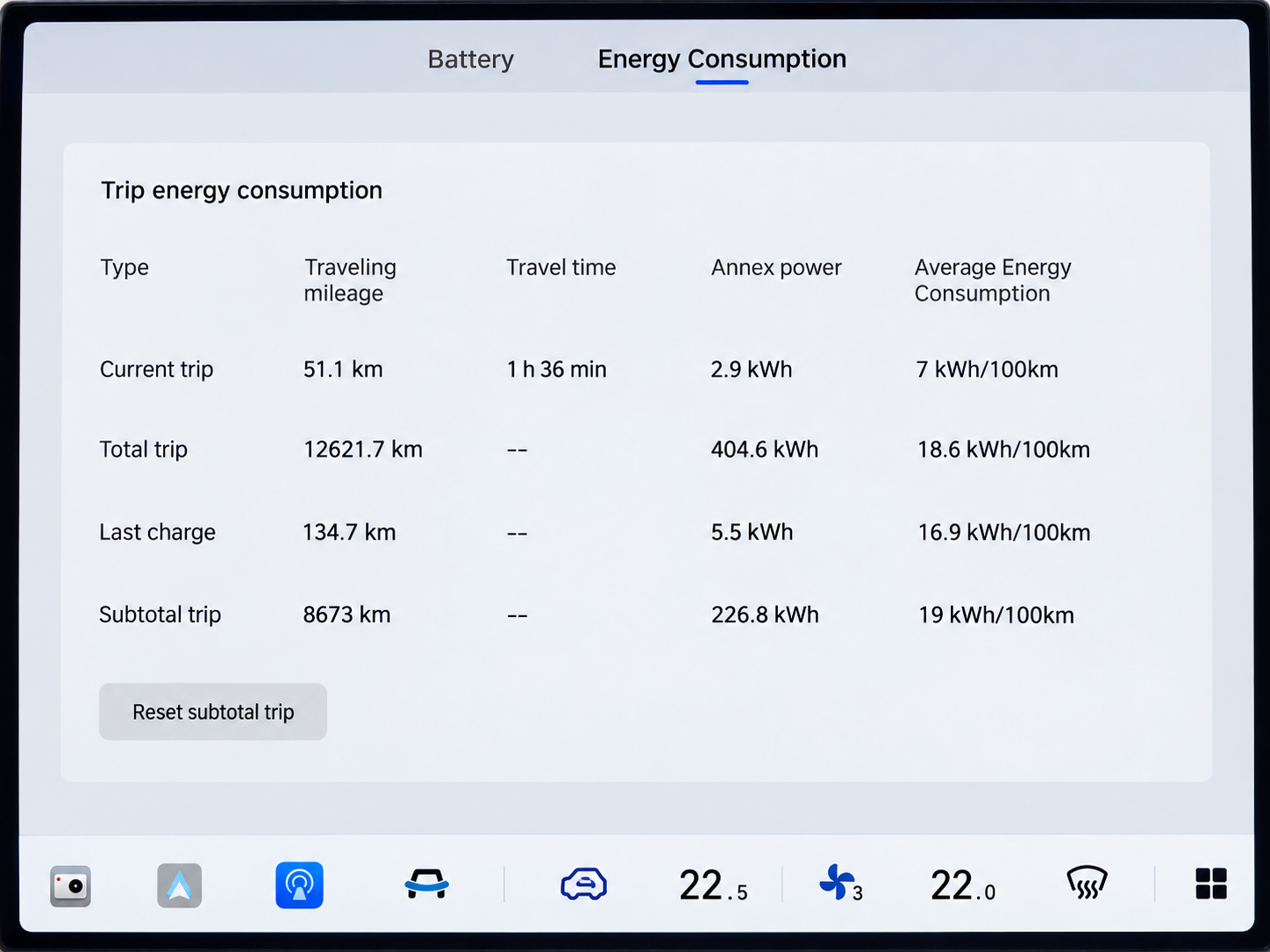
While parked, use the centre screen to find the Total Trip mileage.
Open Energy Centre
Open Application List from the dock, then select Energy Centre.
Choose Energy Consumption
Open Energy Consumption and find the Traveling Mileage column.
Read the Total Trip Row
Read the distance where the Total Trip row meets the Traveling Mileage column. The Australian owner who supplied this example reported on 12 October 2026 that this is the odometer reading: it increases while driving and cannot be reset.
In the DEEPAL App
The supplied Australian app screens show a second route to the total-mileage field.
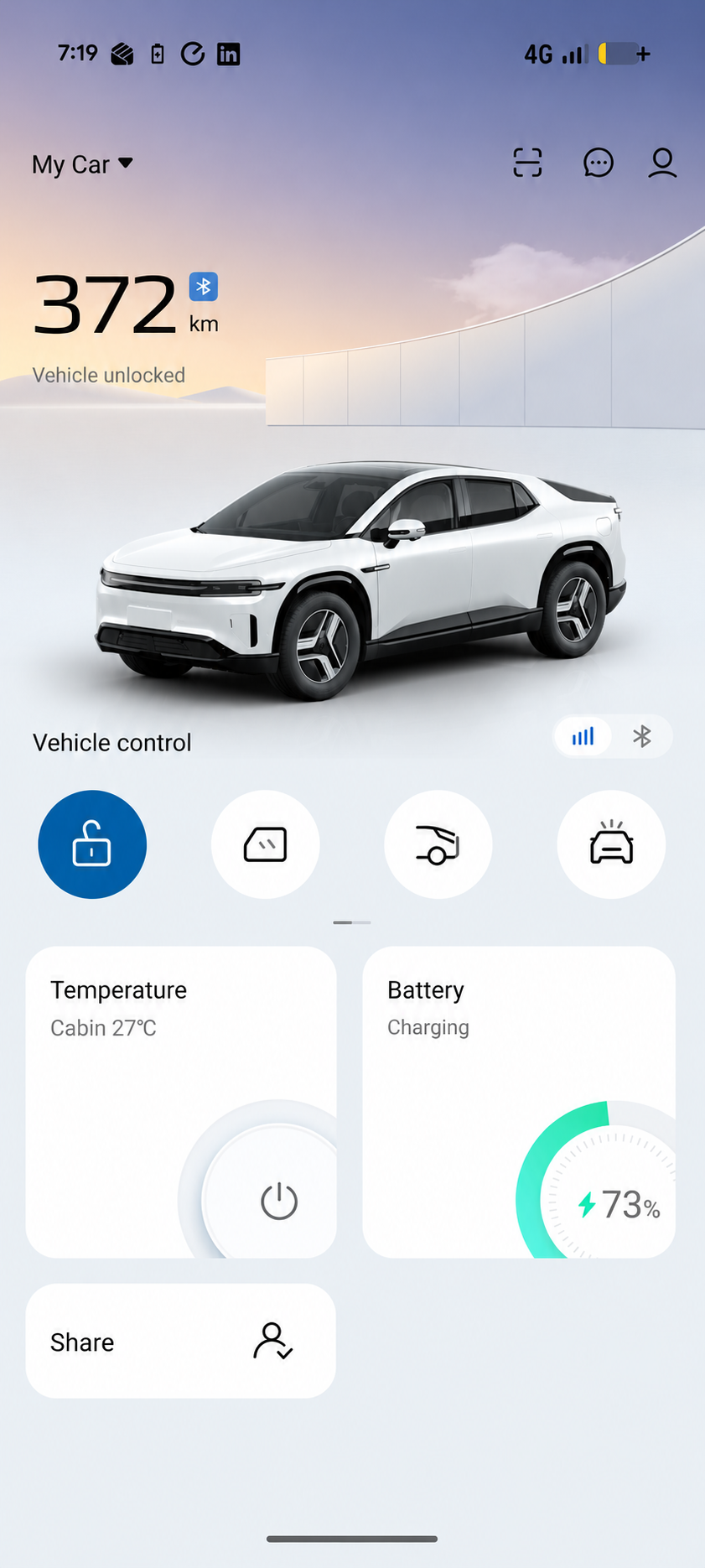
Open My Car
Select your E07 on My Car in the DEEPAL app.
Tap the Car Illustration
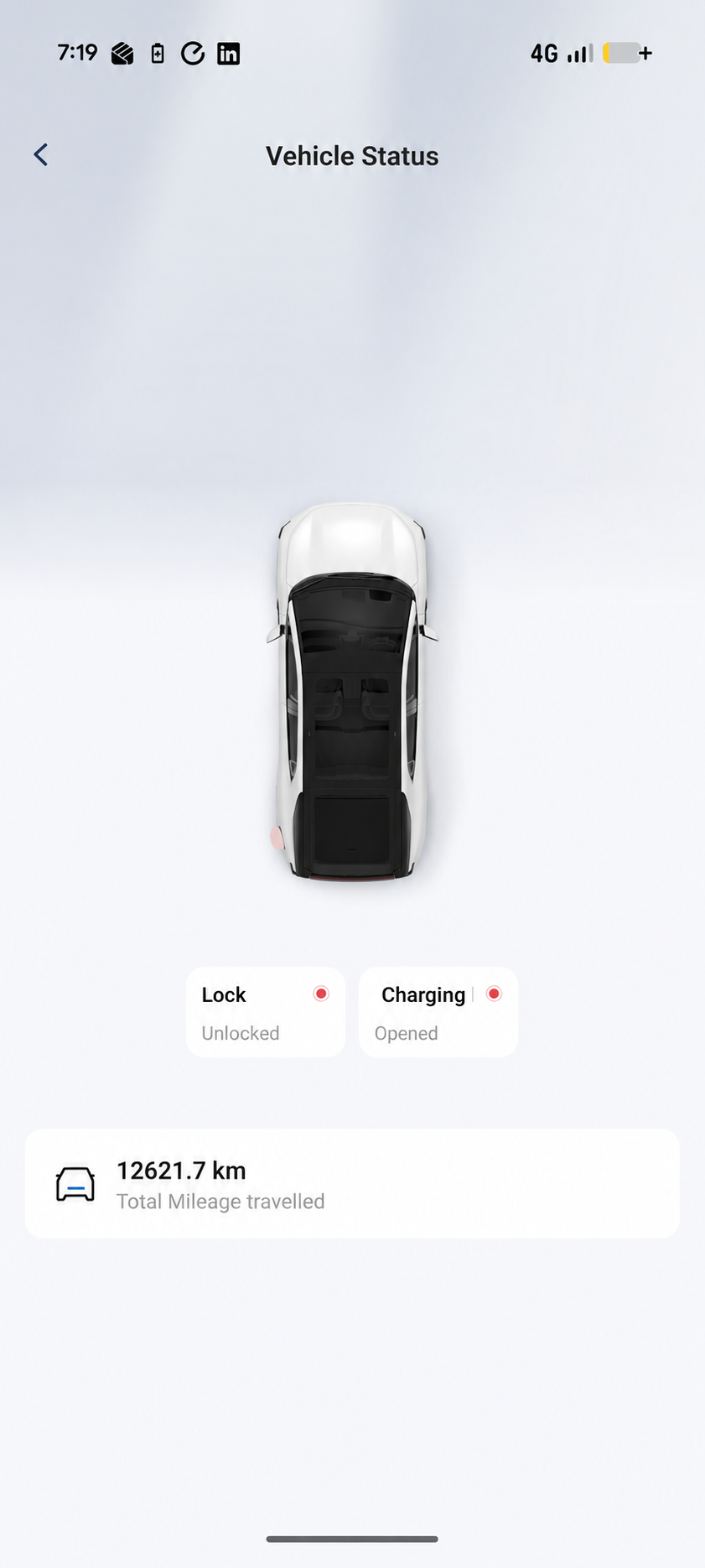
Tap the car illustration to open Vehicle Status, following the route shown in the supplied app example.
Read Total Mileage Travelled
Find Total Mileage Travelled on Vehicle Status. This is the total-distance field shown in the owner’s app example.
Total Mileage, Subtotal and Range
- Total Trip
- The owner uses this reading in the car’s Traveling Mileage column as the odometer and reports that it cannot be reset.
- Subtotal Trip and Reset
- Subtotal Trip is a separate trip-distance counter. The button shown is Reset Subtotal Trip; it is not a reset control for the owner-observed Total Trip odometer reading.
- Total Mileage Travelled
- The total-distance field shown on Vehicle Status in the supplied DEEPAL app example.
- Remaining Range
- The 372 km figure on My Car is the estimated distance available from the battery. For total distance travelled, open Vehicle Status and read Total Mileage Travelled.
References and Image Notes
The owner’s report and supplied screens show the app route and the observed Total Trip behaviour described here. The manual identifies Energy Centre in Application List and shows the Energy Consumption tab.
E07 Owner’s Manual — p. 49 (PDF p. 60); p. 87 (PDF p. 98).
The images are edited illustrations. The car’s Total Trip and the app’s Total Mileage Travelled readings use a normalised 12621.7 km example for explanation.